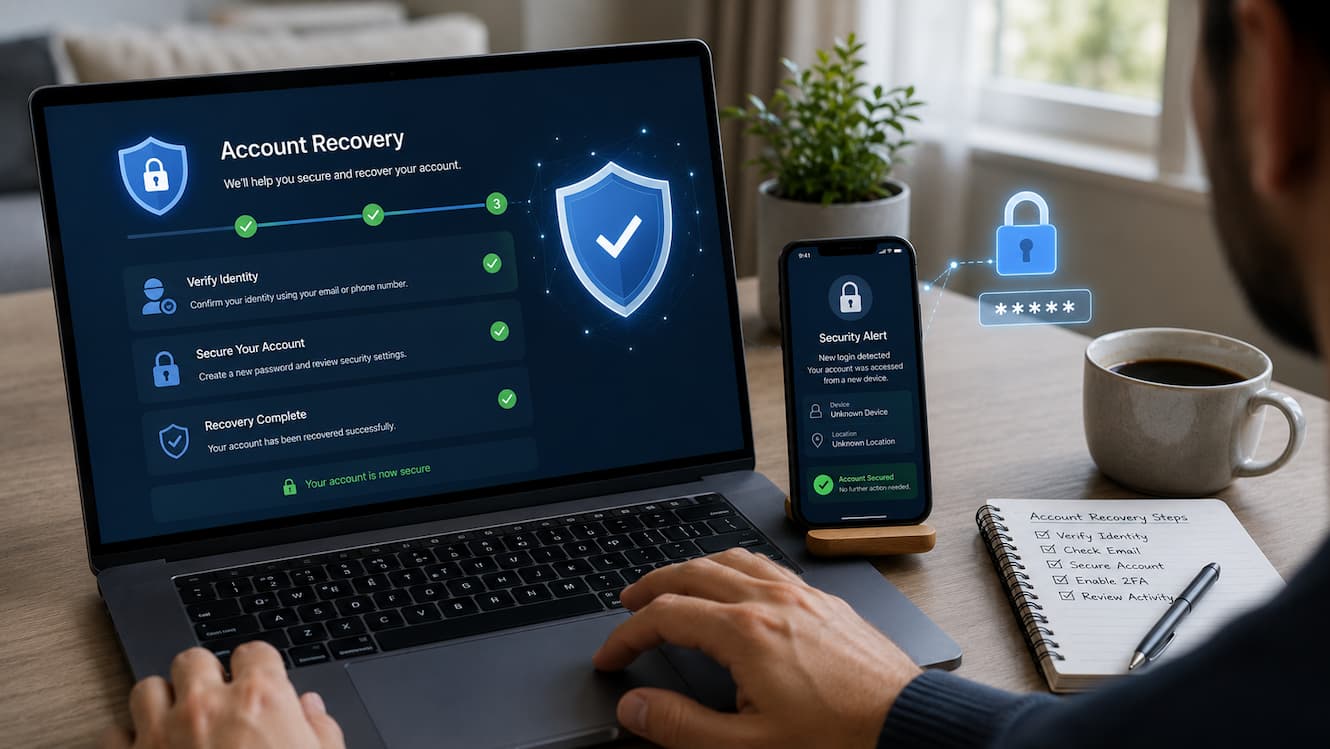
Finding out that your social media account is locked can be frustrating. One moment you are checking messages, sharing updates, or connecting with friends, and the next moment you are unable to access your account. Many people panic and try random solutions, which can sometimes make recovery harder. A locked account does not always mean it is permanently lost. Social platforms usually lock accounts because of unusual activity, security concerns, forgotten login details, policy issues, or automated systems detecting something that needs verification. The important thing is knowing the correct steps instead of guessing.
This guide explains how to recover a locked social account in a safe and organized way. You will learn why accounts get locked, what recovery options are available, how to verify your identity, which mistakes to avoid, and how to protect your account after you regain access. Whether you use social media for personal communication, business, or staying connected with communities, these practical steps can help you approach account recovery with confidence.
Why Social Accounts Get Locked
Social media platforms use automated security systems to protect users from hacking attempts, spam, fake activity, and unauthorized access. When these systems notice something unusual, they may temporarily restrict access until the account owner confirms their identity. A locked account is usually a security measure rather than a punishment. Understanding the reason behind the lock can help you choose the right recovery method.
Common Reasons Social Accounts Become Locked
- Suspicious login activity: Logging in from a new device, unusual location, or unfamiliar network may trigger a security check.
- Too many failed login attempts: Repeatedly entering incorrect passwords can make the platform temporarily block access.
- Security concerns: If a platform suspects someone else may be using your account, it may lock the account to protect your information.
- Violation of platform rules: Posting restricted content, using automation tools, or breaking community guidelines can result in restrictions.
- Fake or incomplete account information: Some platforms may request verification if account details appear inaccurate.
- Third-party app activity: Connected apps or services with unusual behavior can sometimes cause security warnings.
Tip: Before trying recovery methods, think about what changed recently. Did you install a new app, log in from another device, change your password, or receive unusual messages?
Temporary Lock vs Permanent Restriction
Not every locked account has the same problem. Some restrictions last only a few minutes or hours, while others require a review process.
| Lock Type | What It Means | Typical Solution |
|---|---|---|
| Temporary Security Lock | The platform detected unusual activity. | Complete verification and wait for access restoration. |
| Password Lockout | Too many incorrect login attempts. | Reset your password and confirm ownership. |
| Identity Verification Lock | The platform needs proof you own the account. | Submit requested verification details. |
| Policy Restriction | The account may have broken platform rules. | Review the decision and submit an appeal if available. |
Identify What Type of Account Lock You Have
Before starting recovery, identify the exact problem. Many people waste time because they treat every account lock the same way. The recovery process depends on whether you forgot your password, lost access to your email, or received a security restriction.
Check the message shown during login.
The message displayed by the platform often provides important clues. Pay attention to the exact wording because it can tell you what action is required.
For example:
- “Your account has been temporarily locked” usually means a security check is needed.
- “Verify your identity” means the platform needs confirmation that you are the owner.
- “Incorrect password” may simply require a password reset.
- “Account disabled” may require an appeal or policy review.
Ask These Questions Before Taking Action
- Can you still access the email address connected to the account?
- Can you receive verification codes on your phone number?
- Did you recently change your password?
- Did you receive any security alerts?
- Are you able to log in from a device you previously used?
These answers help determine the safest recovery path. Avoid immediately creating a new account because you may still be able to recover the original one.
First Steps to Take Before Starting Recovery
Preparation makes account recovery easier. Before submitting forms or requesting verification codes, gather the information that proves you are the rightful owner.
Collect Important Account Details
Depending on the platform, you may need some of the following information:
- The username or profile name connected to the account
- The email address used during registration
- The phone number linked to the account
- Previous passwords you remember
- Approximate account creation date
- Devices you normally use for login
- Recent activity information
Secure Your Email Account First
Your email account is often the key to recovering a locked social account. If someone else has access to your email, they may be able to reset passwords or intercept recovery messages.
Before continuing:
- Change your email password if you suspect unauthorized access.
- Enable two-factor authentication on your email account.
- Check for unfamiliar login activity.
- Remove unknown connected devices.
Warning: Never share your password, verification codes, or recovery links with anyone claiming they can unlock your account. Legitimate platforms do not ask for your password.
Using Official Account Recovery Options
The safest way to recover a locked social account is through the platform’s official recovery system. Avoid websites, apps, or individuals promising instant account unlocking because many of these are scams designed to steal login information.
Use the “Forgot Password” option carefully.
If the problem is related to login access, start with the platform’s built-in password recovery process. Follow the instructions slowly and make sure you are using the correct email address or phone number.
Common recovery methods include:
| Recovery Method | How It Works | Things to Remember |
|---|---|---|
| Email Verification | A recovery link is sent to your registered email. | Check spam or junk folders. |
| Phone Verification | A security code is sent by SMS. | Make sure your phone number is still active. |
| Backup Codes | Previously saved security codes can restore access. | Use them carefully and store new ones safely. |
| Identity Review | The platform checks information to confirm ownership. | Provide accurate information only. |
Always access recovery pages directly through the official website or mobile application. Avoid clicking recovery links from unknown emails or messages.
Understanding Identity Verification Processes
Many social platforms use identity verification to make sure the person requesting access is the real account owner. This step can feel inconvenient, but it exists to prevent hackers from taking over accounts. The verification method depends on the platform and the type of account issue. Some users may only need to confirm an email address, while others may need to provide additional information.
Common Identity Verification Methods
| Verification Method | What Happens | Helpful Advice |
|---|---|---|
| Email Confirmation | A verification message is sent to your registered email address. | Check all folders, including spam and promotions. |
| Phone Number Verification | A security code is sent through SMS or an automated call. | Make sure your phone can receive messages. |
| Device Verification | The platform checks whether you are using a familiar device. | Try logging in from a device you normally use. |
| Identity Documents | Some platforms may request official identification. | Only submit documents through official recovery channels. |
| Security Questions | You answer questions related to your account history. | Provide consistent and accurate answers. |
How to Complete Verification Successfully
Small mistakes during verification can delay recovery. Follow these best practices:
- Use information that matches your original account details.
- Avoid creating multiple recovery requests at the same time.
- Use a stable internet connection while completing verification.
- Upload clear images if documents are requested.
- Read every instruction before submitting information.
Expert Tip: If a platform asks when you created your account or when you last accessed it, provide your best accurate estimate instead of guessing random dates.
Common Recovery Problems and Solutions
Even when users follow the correct process, account recovery can become difficult. Usually, the problem is not the recovery system itself but missing access to important account information.
Problem: You Cannot Access Your Email Address
Many recovery processes depend on email access. If your email account is unavailable, recover your email first before attempting social account recovery.
Possible solutions:
- Use your email provider’s account recovery options.
- Check whether you have a backup email or phone number.
- Review old devices where your email may still be signed in.
- Update your email security settings after regaining access.
Problem: You No Longer Have Your Old Phone Number
A changed phone number can block SMS verification. In this situation, look for alternative options such as email verification, trusted devices, backup codes, or account recovery forms. Avoid using someone else’s phone number as a replacement unless the platform specifically allows it. Recovery information should always belong to you.
Problem: Recovery Codes Are Not Arriving
Sometimes verification codes are delayed or blocked. Try these steps:
- Wait several minutes before requesting another code.
- Confirm that your phone has signal.
- Check if your email inbox is full.
- Make sure you are requesting codes for the correct account.
- Avoid repeatedly requesting codes because this can trigger additional security limits.
Problem: Your Account Was Hacked Before Being Locked
A locked account may sometimes be the result of unauthorized access. If you believe someone entered your account, focus on security first.
Recommended actions:
- Change the password after recovery.
- Remove unknown devices from account settings.
- Review recent login activity.
- Remove suspicious connected applications.
- Enable two-factor authentication.
Mistakes That Can Delay Account Recovery
Many recovery attempts fail because users accidentally make the situation more complicated. Avoiding common mistakes improves your chances of restoring access quickly.
1. Trying Random Passwords Repeatedly
Entering many incorrect passwords can trigger additional security restrictions. If you cannot remember your password, use the official reset process instead.
2. Using Unofficial Recovery Services
Some websites and individuals claim they can unlock any account instantly. These services are often unsafe and may attempt to steal your password, payment information, or personal data.
Warning: Anyone asking for your password or private verification code is not providing legitimate account recovery help.
3. Creating Too Many Support Requests
Submitting many recovery forms within a short period can slow down the review process. It is better to provide one complete and accurate request.
4. Providing Incorrect Information
False information can make it harder for automated systems to confirm ownership. Always provide details that match your account history.
5. Ignoring Security Alerts
Many users focus only on unlocking their account and forget to investigate why it happened. If the cause was a security issue, the account may become locked again.
Protecting Your Account After Recovery
Recovering your account is only the first step. The next goal is preventing the same problem from happening again.
Enable Two-Factor Authentication
Two-factor authentication adds another security layer. Even if someone discovers your password, they usually cannot access your account without the second verification method.
Common two-factor authentication options include:
- Authentication apps
- Security keys
- SMS verification
- Email confirmation
Create a Strong and Unique Password
A strong password should not be reused across multiple websites. If one service experiences a data breach, reused passwords can put other accounts at risk.
| Weak Password Habit | Better Practice |
|---|---|
| Using the same password everywhere | Create a unique password for every important account |
| Using personal information | Avoid names, birthdays, and easy-to-guess details |
| Short passwords | Use longer passwords with different character types |
| Saving passwords in unsafe places | Use a trusted password manager |
Review Connected Apps and Devices
Many social platforms allow third-party apps to connect with your account. Some older connections may no longer be needed.
Regularly check:
- Apps with account access
- Logged-in devices
- Recent login locations
- Security notifications
How to Prevent Future Account Locks
Prevention is easier than recovery. A few simple habits can reduce the chance of your account being locked again.
Keep Your Account Information Updated
Make sure your recovery email and phone number are current. Old contact information can become a major problem when you need to verify ownership.
Avoid Suspicious Activity
Social platforms often flag unusual behavior. Avoid actions that appear automated or unsafe.
- Do not use unauthorized automation tools.
- Avoid sending large numbers of messages quickly.
- Do not log in through suspicious websites.
- Be careful with public Wi-Fi networks.
Maintain Regular Security Checks
A monthly security review only takes a few minutes but can prevent major problems later.
- Check active sessions.
- Review privacy settings.
- Remove unused apps.
- Update passwords when needed.
- Confirm recovery information is correct.
Account Recovery Checklist
Use this checklist when dealing with a locked social account:
| Step | Completed |
|---|---|
| Identify why the account was locked | ☐ |
| Check access to email and phone number | ☐ |
| Use only official recovery options | ☐ |
| Prepare account ownership details | ☐ |
| Complete verification carefully | ☐ |
| Change password after recovery | ☐ |
| Enable two-factor authentication | ☐ |
| Review security settings | ☐ |
FAQs
1. Can I recover a locked social account without my old phone number?
Yes, recovery may still be possible if you no longer have access to your old phone number. Many platforms provide alternative verification methods, such as email confirmation, trusted devices, backup codes, or identity verification. Start by checking the official recovery options available on the platform. Avoid adding a new phone number randomly unless the recovery process allows it. The best approach is to prove ownership using information that was already connected to your account.
2. How long does it take to recover a locked social account?
The recovery time depends on the reason your account was locked and the verification method required. Some temporary security locks may be removed within hours after successful verification, while more complicated cases involving identity checks or policy reviews may take longer. Providing accurate information and following official instructions can help avoid delays. Avoid submitting multiple requests repeatedly because this may slow down the review process.
3. Is a locked social account the same as a deleted account?
No, a locked account and a deleted account are different situations. A locked account usually means access has been restricted temporarily or until you complete a security check. A deleted account may have been permanently removed by the user or platform. If your account is locked, there is often still a recovery path available. Check the exact message shown during login to understand what type of problem you are facing.
4. What should I do if I think someone hacked my account?
If you suspect unauthorized access, focus on securing your account before doing anything else. Use the official recovery process, change your password once access is restored, remove unknown devices, and review recent account activity. Also, secure the email address connected to your social account because attackers often target email accounts to maintain access. Enable two-factor authentication to add an extra layer of protection.
5. Can customer support unlock my account immediately?
Customer support can help with certain account problems, but they usually cannot instantly remove every restriction. Security systems often require verification before access is restored. Support teams may review cases involving disabled accounts, identity concerns, or technical issues. The fastest approach is usually completing the official recovery steps first and providing accurate information if additional support is required.
Conclusion
A locked social account can be stressful, especially when you depend on it for communication, memories, or professional activities. However, the recovery process becomes much easier when you approach it carefully instead of trying random solutions.
The most important steps are understanding why the account was locked, using official recovery options, verifying your identity correctly, and avoiding unsafe services that promise instant access. Preparation also matters. Keeping your email secure, updating recovery information, and enabling additional security features can prevent many future problems. Account recovery is not about finding shortcuts. It is about following the correct process, protecting your information, and proving that you are the rightful owner. By applying the methods explained in this guide, you can handle account locks more confidently and improve your overall online security.
References
The following trusted sources provide official security and account recovery guidance:
- Google Account Help: Official guidance for recovering accounts, securing passwords, and managing account access.https://support.google.com/accounts/
- Microsoft Account Help: Official instructions for account recovery, security verification, and password management.https://support.microsoft.com/account-billing
- Apple Support: Information about Apple ID recovery, account security, and identity verification.https://support.apple.com/apple-id
- National Institute of Standards and Technology (NIST): Cybersecurity guidance about authentication and protecting digital accounts.https://www.nist.gov/cybersecurity
- Cybersecurity and Infrastructure Security Agency (CISA): Government resources for improving online security practices.https://www.cisa.gov/topics/cyber-threats-and-advisories
- Federal Trade Commission (FTC) Consumer Advice: Guidance about protecting accounts from scams and identity-related threats.https://consumer.ftc.gov/
Leave a Reply