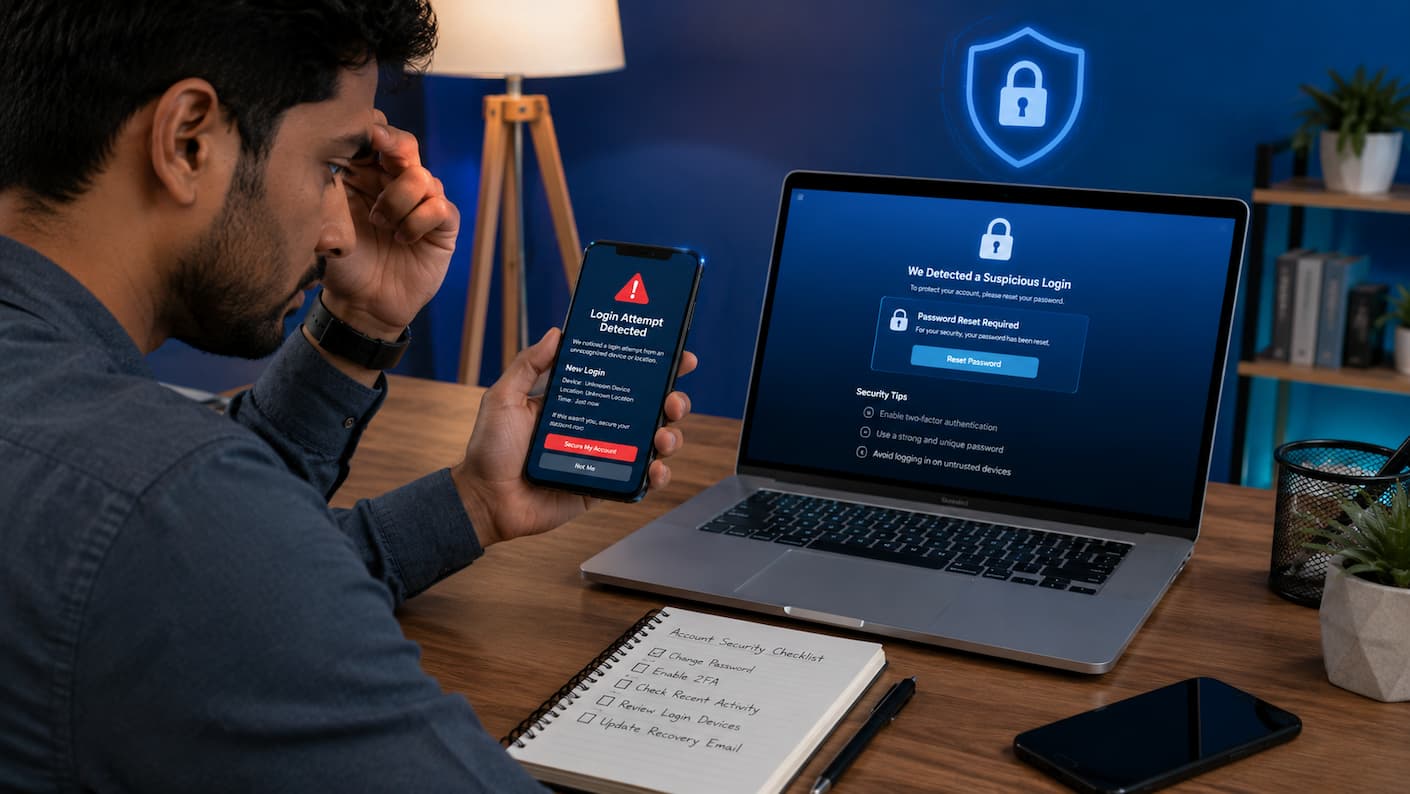
You go to your social networking account, and something is off. Your password might be out of date. Maybe your pals got weird messages from your profile. Your account settings may have changed, your profile photo is different, or you may have seen a login from a place you don’t recognize. These moments can be unpleasant because social accounts hold more than just pictures and postings. Many people use them for private chats, business sites, communicating with customers, or even as a way to log into other services. A compromised account can leak personal information and cause problems outside of the platform.
The good news is that acting quickly can help limit the damage. You don’t have to be a cybersecurity specialist to defend yourself. If you do the proper things at the right time, you can recover control and prevent the attacker from doing more damage. In this tutorial, you’ll learn what to do right after you see suspicious behavior, how to get your account back, how to check if your information was exposed, and what security habits can help protect you in the future.
How to Tell If Your Social Media Account Has Been Hacked
Many people think of hacking as something dramatic, like a closed account with a flashing warning message. The truth is, most hijacked accounts will show smaller warning indications first. The sooner you see these indications, the sooner you can act. The longer you wait, the more time the attacker has to modify settings, contact individuals you know, or try to access other accounts related to your profile.
Common warning signs include:
- You cannot log in even though your password is correct.
- Your password or email address was changed without your permission.
- Messages or posts appear that you did not create.
- Your friends report receiving suspicious links from your account.
- You notice unknown devices or locations in your login history.
- Your account follows unfamiliar pages or people.
- Your security settings have changed.
- You receive password reset emails that you did not request.
Not every strange activity means your account was hacked
Sometimes unusual behavior has a simple explanation. A social platform may log you out after a security update. A family member may have used your device. A browser extension or connected app may have permission to perform actions on your behalf. However, suspicious activity should always be treated seriously. It is better to spend a few minutes checking your security settings than to ignore a warning sign.
| Possible Problem | What It May Mean | Recommended Action |
|---|---|---|
| The password no longer works | Someone may have changed your login details | Start account recovery immediately |
| Unknown messages sent | Your account may be controlled by someone else | Change password and remove unknown access |
| Unknown login location | A different device may have accessed your account | Review login history and sign out devices |
| Security emails received | Someone may be attempting access | Secure your account before approving anything |
Tip: Do not wait until you are completely locked out. If you still have access to your account, please secure it immediately while you still have control.
The First Things You Should Do Immediately
When people discover their account may be hacked, the initial reaction is often panic. They repeatedly try passwords, send messages to support, or click random recovery links from search results. A calmer approach works better. Your goal is simple: stop unauthorized access, protect your identity, and regain control.
Step 1: Stop interacting with suspicious messages
If someone is controlling your account, they may send messages pretending to be you. They may ask contacts to click links, send money, or share personal information. Avoid replying from the compromised account until you secure it. Please inform your close contacts if you believe they have received suspicious messages.
Step 2: Check if you can still access the account
Try logging in normally. If you still have access, do not log out immediately. First review your account settings and security options. Many users make the mistake of deleting the app or logging out before changing security settings. Such actions can make recovery harder.
Step 3: Take screenshots of suspicious activity
Save evidence before making changes. Screenshots can help if you need to contact platform support later.
Useful things to record include:
- Unknown login alerts
- Changed profile information
- Suspicious messages or posts
- Password change notifications
- Emails related to account access
Warning: Never trust random people claiming they can recover your hacked account. Many scammers target people who are already stressed and looking for help.
Secure Your Email Account Before Recovering Social Media
Your email account is often the key to your social media accounts. If someone controls your email, they may be able to reset passwords and continue accessing your profiles even after you change your social media password. Before focusing only on the social platform, make sure your email account is protected.
Check these email security settings:
- Change your email password if you suspect unauthorized access.
- Enable two-factor authentication.
- Review recent login activity.
- Remove unknown recovery emails or phone numbers.
- Review forwarding rules for suspicious changes.
A forgotten detail many people miss is email forwarding. Attackers sometimes create automatic forwarding rules so copies of your private emails continue reaching them even after you regain access.
| Email Security Check | Why It Matters |
|---|---|
| Password change | Blocks old unauthorized access attempts |
| Two-factor authentication | Adds another protection layer beyond your password |
| Login history review | Helps identify unknown devices |
| Recovery information check | Prevents attackers from keeping control |
Change Passwords the Right Way
Changing your password is one of the most important steps after a possible account hack. However, simply creating a new password is not always enough. Many people repeat the same mistake by choosing a password that is easy to remember but also easy for attackers to guess.
A strong password should be unique, long, and different from passwords used on other websites. If another service experienced a data leak and you reused the same password, attackers may try that password on your social media accounts.
What makes a strong password?
- At least 12 characters long
- Contains a mix of letters, numbers, and symbols
- Does not include personal details like your name or birthday
- Is not reused on another website
- Cannot be easily guessed from common password lists
| Weak Password Example | Why It Is Risky | Better Approach |
|---|---|---|
| john123 | Contains a common name and simple numbers | Use a longer random phrase |
| password2026 | Uses a common password pattern | Create a unique password |
| Same password everywhere | One breach can affect multiple accounts | Use different passwords for each service |
How to Recover a Hacked Social Account
Account recovery methods depend on the platform, but the general process is similar across most social networks. Your goal is to prove that you are the real owner and remove the attacker’s access. Start by using the official recovery option from the platform. Avoid searching for random recovery services because scammers often create fake support pages that collect passwords.
Follow these recovery steps:
- Go to the official login page.
Use the platform’s own recovery option instead of links sent through emails or messages. - Select the account recovery option.
Choose options such as “Forgot password” or “My account was compromised.” - Verify your identity.
You may need access to your email, phone number, or other verification methods. - Remove unauthorized changes.
Check whether the attacker changed your email address, phone number, or security settings. - Secure the account after recovery.
Please enable the extra security features as soon as possible.
Check Connected Devices and Login Activity
After regaining access, your next task is finding out where the unauthorized access came from. Most social platforms provide a security section showing devices, locations, and recent login activity. This information can reveal whether someone accessed your account from an unfamiliar phone, computer, or location.
Review these security areas:
- Active sessions
- Logged-in devices
- Recent login locations
- Connected applications
- Third-party website permissions
| Security Area | What To Look For | Action To Take |
|---|---|---|
| Devices | Unknown phones or computers | Sign out unfamiliar devices |
| Apps | Unknown connected services | Remove unnecessary permissions |
| Login history | Unexpected locations | Change password and review activity |
Why connected apps can become a problem
Many people forget about apps they connected years ago. For example, you may have allowed a quiz app, photo editor, or another service to access your account. If one of those services has weak security, attackers may use it as a path into your account. Review connected apps regularly and remove anything you no longer use.
How to Prevent Future Account Hacks
Recovering a hacked account is only half the solution. The next step is making sure the same problem does not happen again. Most successful account attacks happen because of simple mistakes: reused passwords, fake login pages, ignored security alerts, or outdated recovery information.
Enable two-factor authentication
Two-factor authentication, often called 2FA, adds an extra security step when logging in. Even if someone knows your password, they usually cannot access your account without the second verification method.
Common 2FA methods include:
- Authentication apps
- Security keys
- Text message codes
- Email verification codes
| Security Method | Protection Level | Recommendation |
|---|---|---|
| Password only | Low | Avoid for important accounts |
| Password + SMS code | Better | Useful but not the strongest option |
| Password + authentication app | Strong | Recommended for most users |
| Security key | Very strong | Best for high-value accounts |
Be careful with fake login pages
One of the most common ways attackers steal passwords is through phishing. They create fake pages that look almost identical to real social media websites. A message may claim that your account has a problem and ask you to “verify your identity.” When you enter your password, the attacker receives it.
Signs of a phishing attempt:
- The message creates panic or urgency.
- The link looks slightly different from the official website.
- You are asked to provide your password or verification code.
- The sender is unknown or suspicious.
- The offer looks suspicious.
Best Practice: Instead of clicking security links in messages, open the official app or website yourself and check notifications there.
Common Mistakes People Make After Being Hacked
The first few minutes after discovering a hacked account can affect how much damage occurs. Some actions that feel helpful can actually make recovery harder.
Mistake 1: Waiting too long
Some users hope the problem will fix itself. Unfortunately, attackers may use this time to change account information, message contacts, or access other connected accounts.
Mistake 2: Using the same password again
Creating a slightly different version of an old password is not enough. Attackers know common patterns and can often guess variations.
Mistake 3: Trusting fake recovery experts
After an account takeover, people are often searching for quick help. Scammers know these vulnerabilities and may promise instant recovery in exchange for money or personal information. Use only official recovery methods provided by the platform.
Mistake 4: Ignoring other accounts
If your hacked account used the same password as your email, shopping account, or banking-related services, those accounts may also be at risk. Review important accounts and update passwords where necessary.
Security Tools You Should Use
Protecting your social account does not require expensive software or advanced technical knowledge. Most of the best security improvements are simple features that are already available on your devices and online accounts. The goal is not to make your account impossible to attack. No online system can promise that. The goal is to make unauthorized access much more difficult and to receive warnings quickly if something unusual happens.
- Use an authentication app
- Keep your devices updated
- Use screen locks and device protection
- Review privacy settings regularly
Long-Term Account Protection Strategy
Account security is not a one-time task. Think of it like maintaining a home. Locking the door once is helpful, but checking the locks, repairing damage, and improving security over time makes the home safer. The same idea applies to your online accounts. Small habits performed consistently can prevent many common problems.
Create a personal security routine
You do not need to spend hours checking security settings. A simple routine is enough for most people.
- Check account login activity once a month.
- Remove apps you no longer use.
- Update important passwords when needed.
- Review privacy settings after major platform updates.
- Keep recovery email and phone information current.
- Install device and browser updates regularly.
Protect the information you share online
Many account attacks begin with information people freely share. Public posts can reveal details such as birthdays, locations, family names, workplace information, or personal interests. Attackers may use these details to guess security questions or create convincing scams.
Be careful with public Wi-Fi
Public Wi-Fi networks can be convenient, but you should be careful when accessing sensitive accounts on unfamiliar networks. Avoid entering important passwords on unknown networks unless you are confident the connection is secure. Using mobile data or a trusted network is often safer for sensitive activities.
Conclusion
Discovering that someone hacked your social account can be intimidating, but knowing what to do makes the issue much easier to manage. First, secure your email, change your passwords, review your login activity, revoke any unknown access, and enable tougher security features. Don’t buy into faulty treatments and don’t trust strangers who offer quick recuperation.
Simple habits practiced over time are the best defense. A unique password, two-factor authentication, regular security checks, and being careful about what you do online can help you keep control of your account. Your social accounts have important personal information. Treat them as vital documents and react immediately if anything looks strange.
Leave a Reply