
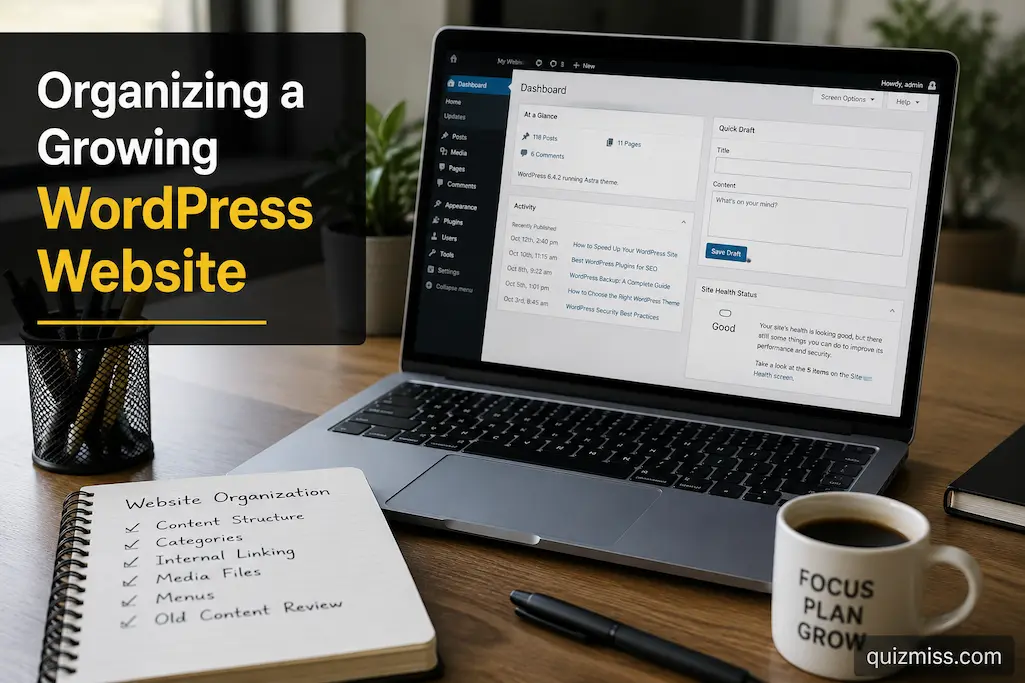
Managing a WordPress website rarely becomes difficult overnight. In most cases, it happens gradually. You add extra categories for convenience; publish dozens of posts without a clear plan; assign random names to shared images; and watch your menus grow with every new theme. While these choices may seem insignificant on their own, after a year or two, the website can become harder to maintain than it was at launch.
Interestingly, the volume of content isn’t the problem. Some websites have tens of thousands of posts yet remain well-organized because they consistently follow the same structure. Others become chaotic after publishing just a few hundred posts because their structure begins to fall apart.
Whether you are building a personal blog, a knowledge base, or a corporate website, a sustainable organizational structure should facilitate future growth rather than merely accommodating it. The goal isn’t to build a perfect structure from day one, but rather one that remains functional as the website evolves.
Build Around Content Clusters Instead of Individual Posts
On small websites, it is common to view each project in isolation. However, as your content library grows, this mindset becomes less effective.
Instead of worrying about where to place a specific article, try thinking in terms of related content groups.
For instance, if your website is about WordPress, articles on plugin management, theme customization, backups, and performance optimization naturally complement one another. Users find the content they need more easily when you organize articles around a central theme, rather than leaving them as standalone pieces.
Using content clusters offers many long-term benefits:
- Visitors can easily find related reading material.
- Internal links are easier to maintain.
- Categories remain consistent and do not become fragmented.
- Future content is easier to plan.
Over time, users will focus more on themes than on individual articles, making the website as a whole more functional.
Stop Creating New Categories Too Quickly
As websites grow, many add too many categories because every new topic seems unique enough to justify its own section.
A few months later, you might have dozens of categories, each containing only one or two articles.
Before creating a new category, carefully consider whether the topic truly deserves its own section or if it fits better into an existing category.
A practical way to decide is by asking:
| Question | Why It Helps |
|---|---|
| Will this topic continue growing? | Prevents creating categories for isolated articles. |
| Does another category already cover similar content? | Reduces unnecessary overlap. |
| Would readers expect to find this article elsewhere? | Improves navigation consistency. |
| Can internal links organize the topic instead? | Sometimes a new category isn’t needed. |
Fewer, stronger categories are generally easier to maintain than many small ones.
Create Editorial Rules Before You Need Them
Many organizational problems aren’t technical—they’re editorial.
Different authors may capitalize titles differently, choose inconsistent featured images, write varying excerpts, or use different naming conventions for similar topics.
Rather than correcting these inconsistencies years later, establish simple editorial guidelines while the website is still manageable.
These don’t need to be lengthy.
Even a short document covering title formatting, category selection, image naming, permalink preferences, and internal linking expectations helps preserve consistency as the website expands.
The more predictable your publishing process becomes, the easier long-term organization will be.
Make Older Content Part of Your Publishing Workflow
Publishing new articles is exciting because it moves the website forward.
Reviewing existing content often feels less rewarding, which is why many older posts gradually become disconnected from the rest of the site.
A better habit is linking new publishing with occasional maintenance.
For example, every time you publish three or four new articles, revisit one or two older ones.
During that review you might:
- Add links to recently published articles.
- Update outdated screenshots.
- Improve headings for readability.
- Replace broken external references.
- Expand sections that have become too brief.
This gradual approach keeps older content integrated without requiring a massive website-wide review.
Keep Menus Focused on Direction, Not Completeness
Website owners often try to include everything in the navigation menu.
Unfortunately, larger menus rarely help visitors make faster decisions.
Instead of asking whether every page appears in the menu, ask whether visitors can quickly reach the information they’re most likely to need.
Think of navigation as a roadmap rather than a directory.
Primary menus should guide visitors toward major destinations, while search, internal links, archives, and category pages can help them discover additional material along the way.
A concise menu generally feels more approachable than one containing dozens of competing options.
Give Media Files a Consistent Home
Media organization receives surprisingly little attention until someone needs to locate an image uploaded years earlier.
Random filenames such as image1.jpg or final-final-new.png make searching unnecessarily difficult, especially on websites containing thousands of files.
Instead, adopt a consistent naming approach from the beginning.
A few practical examples include:
| Poor Filename | More Useful Filename |
|---|---|
| IMG0021.jpg | wordpress-dashboard-settings.jpg |
| photo-new.png | plugin-update-guide.png |
| final2.webp | homepage-banner-2026.webp |
Clear filenames don’t change how visitors experience the website, but they make future administration noticeably easier.
Review Your Structure From a New Visitor’s Perspective
Website owners gradually become familiar with their own navigation.
Visitors don’t have that advantage.
Every few months, try exploring the website as though you’ve never visited before.
Imagine you’re searching for a specific topic.
- How many clicks does it take?
- Do related articles naturally appear?
- Are the category names clear and easy to understand?
- Is the search function effective
- Can important information be found without already knowing where it is?
This simple exercise often reveals navigation issues that aren’t obvious during day-to-day administration.
Growth Doesn’t Always Mean Scaling Up
An interesting aspect of well-managed websites is that they scale and continuously improve in quality.
Sometimes, streamlining a website means removing old categories rather than adding new ones.
Sometimes, this means merging pages with similar content, simplifying menus, deleting old pages, or updating internal links.
Healthy websites achieve change through careful improvement rather than continuous growth.
A well-organized website differs from one that becomes unmanageable over time because its administrators know when to simplify the content.
A Simple Quarterly Organization Review
Conduct a quick structural review of the website every few months, rather than waiting until it becomes cluttered.
Consider the following questions when performing a review:
- Do the categories still make sense?
- Are there similar themes?
- Do the website menus still clearly highlight important content?
- Are the audio files well organized?
- Are there older, important articles that have been updated recently?
- Is it still easy to find important pages?
- Have some parts of your website become difficult to understand due to recent growth?
Performing these checks regularly keeps your website organized without the need for a major overhaul.
FAQs
Is it necessary to reorganize the pages each time I add new content?
No; frequently changing the website structure can confuse both visitors and administrators. Trends should evolve gradually, and changes should only be made if they offer a genuine improvement.
Is it better to sort by topic or by publication date?
For most informational websites, sorting by topic is preferable, as it allows visitors to find relevant information more easily, regardless of when it was published.
When is it appropriate to merge categories?
If two categories consistently cover the same topics, or if neither category contains enough content to stand on its own, they can be merged to make the website more user-friendly and clarify its overall structure.
How can I tell if my website is becoming increasingly difficult to use?
If your website exhibits overlapping themes, ever-lengthening menus, scattered internal links, and issues with locating older content, then you can likely improve the site’s organization.
Conclusion
When organizing a WordPress website, you do not need to lock the structure in permanently. A good website evolves and changes as you add content. The challenge lies in ensuring that these changes strengthen the website’s overall effectiveness over time rather than weakening it.
Regardless of how your website grows, you can build a user-friendly site by focusing on key content sections, maintaining clear editorial guidelines, regularly reviewing older content, simplifying navigation, and adjusting the structure gradually. The quality of a website’s organization is not measured by the number of pages, but by how easily users can find the information they need—even years after the initial article was published.