
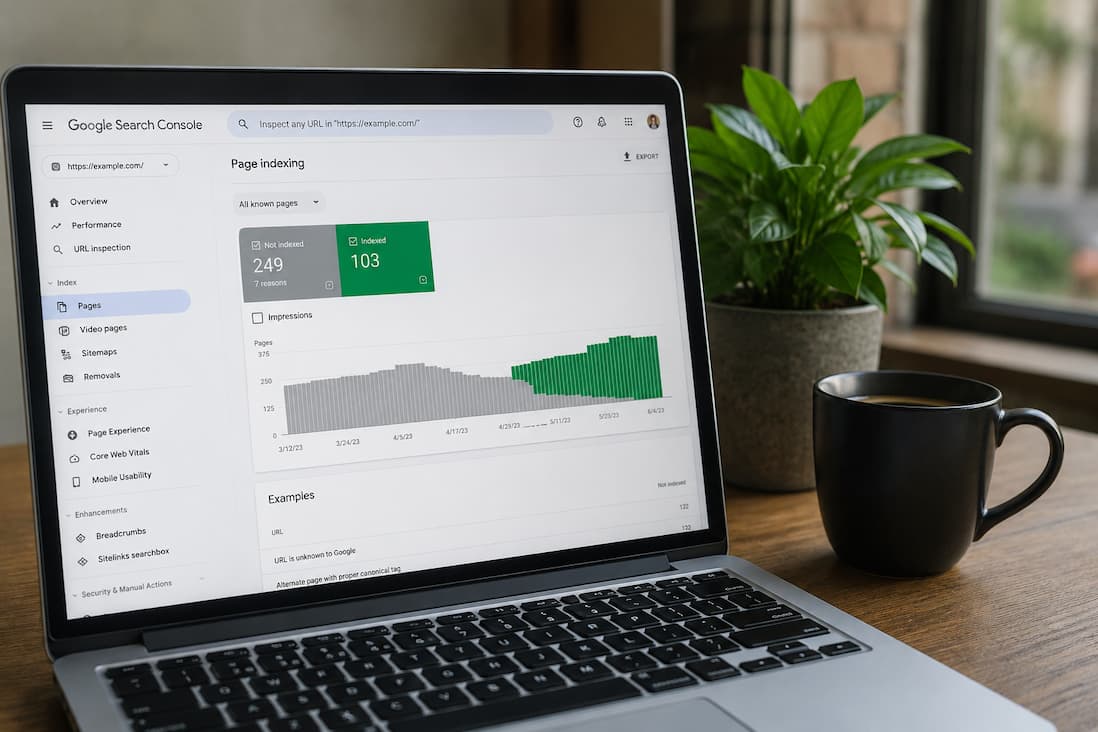
One of the most frustrating moments for a website owner is publishing a new page, waiting several days—or even weeks—and realizing it still doesn’t appear in Google Search. You search for the exact title, paste the full URL into Google, and nothing shows up. At first, it’s easy to assume Google simply hasn’t found the page yet. Sometimes that’s true. More often, though, Google has already discovered the page and decided not to add it to its index.
That distinction matters because discovering a page and indexing it are two separate steps. Google can know a page exists without considering it useful enough to appear in search results. Many WordPress users overlook this difference and spend time resubmitting sitemaps or clicking the “Request Indexing” button repeatedly, expecting the page to appear overnight. In reality, Google’s decision depends on far more than whether a URL was submitted.
If your pages aren’t being indexed, the solution isn’t always hidden inside WordPress. It could involve your site’s crawlability, content quality, internal linking, server responses, or even settings left behind by a plugin. Finding the real cause requires understanding how Google processes a website from the moment it discovers a new URL until it decides whether that page deserves a place in its search index.
Before Looking for a Fix, Confirm the Problem
Many people confuse “not indexed” with “not ranking.”
These are completely different situations.
A page that isn’t indexed doesn’t exist in Google’s searchable database, so it cannot appear in search results at all.
A page that’s indexed but ranking poorly is already in Google’s database—it simply isn’t considered one of the best results for the search terms you’re checking.
The quickest way to check is by searching Google with the following:
site:yourdomain.com/page-url
or
site:yourdomain.com "Exact Page Title"
If the page appears, Google has indexed it.
If nothing appears, that doesn’t automatically mean there’s a problem, especially if the page is very new. Google doesn’t index every page immediately, and on newer websites it may take days or even several weeks before pages begin appearing consistently.
The more reliable method is checking Google Search Console, where Google tells you exactly how it views each URL. Instead of guessing, you’ll see whether a page has been indexed, discovered but not indexed, crawled but not indexed, excluded because of a directive, or blocked by another issue.
That information should guide every troubleshooting decision you make.
Google Doesn’t Index Every Page It Finds
One of the biggest misconceptions about SEO is the belief that Google indexes every publicly accessible webpage.
It doesn’t.
Google’s crawlers discover billions of URLs, but only a portion become part of the search index. Every page consumes storage, processing power, and ongoing resources. As a result, Google’s systems constantly evaluate whether a page is worth keeping.
That evaluation goes far beyond keywords.
Google considers questions such as the following:
- Does this page offer something unique?
- Is it substantially different from other pages on the same website?
- Does it appear trustworthy?
- Is the content complete enough to satisfy visitors?
- Can the page be accessed reliably?
- Is there evidence that the website is maintained?
Imagine two websites publishing articles titled “How to Change a WordPress Password.” One contains a few generic paragraphs that repeat information available everywhere else. The other explains multiple recovery methods, discusses situations where password reset emails don’t arrive, covers hosting-related issues, and walks readers through dashboard, database, and command-line options. Even if both pages are technically accessible, Google is much more likely to view the second page as valuable.
That’s why indexing isn’t only a technical issue. Content quality often plays an equally important role.
Start With the Simple Things Before Assuming Something Is Broken
When pages don’t appear in Google, people often expect a complicated explanation. Surprisingly, some of the most common causes are simple configuration mistakes that remain unnoticed for months.
The first place worth checking is Settings → Reading inside WordPress.
There’s an option labeled
Discourage search engines from indexing this site
Its original purpose is perfectly reasonable. Developers often enable it while building a website so unfinished pages don’t appear in search results.
The problem begins when the site goes live and nobody remembers to disable it.
Depending on your hosting environment and search engine behavior, this setting may generate instructions that discourage indexing.
While Google doesn’t always obey every request, it’s an unnecessary obstacle that should never remain enabled on a public website.
If you’re working on a staging copy of your site, this option makes sense.
If visitors are supposed to find your website through search engines, it generally shouldn’t be checked.
Robots.txt Doesn’t Usually Cause Problems—But It’s Worth Inspecting
The robots.txt file has developed an almost mythical reputation in SEO discussions. It’s often blamed whenever pages disappear from search results.
In practice, most WordPress websites use a perfectly normal robots.txt configuration.
However, if you’ve migrated the website, installed SEO plugins, imported settings from another project, or manually edited the file, it’s worth reviewing.
A single directive can prevent crawlers from accessing important sections of the website.
For example, blocking directories that contain page resources may stop Google from rendering pages correctly. Blocking important content folders entirely can prevent crawling altogether.
The goal isn’t to create the most restrictive robots.txt file possible. The goal is allowing search engines to access everything they need while excluding only areas that genuinely shouldn’t appear in search.
Whenever you edit robots.txt, remember that a small mistake can affect your entire website rather than just one page.
A Noindex Tag Can Override Everything Else
Sometimes website owners spend days improving content, building backlinks, and submitting sitemaps without realizing the page itself explicitly tells Google not to index it.
This usually happens through a noindex directive.
Unlike robots.txt, which controls crawling behavior, a noindex instruction tells search engines that even if they visit the page, it shouldn’t become part of the search index.
Many SEO plugins allow this setting on individual posts and pages.
It’s useful for pages such as the following:
- Thank-you pages.
- Internal landing pages.
- Duplicate archives.
- Temporary content.
Problems arise when the setting is applied accidentally.
Perhaps the page was originally created as a draft, copied from another template, or inherited settings from a parent configuration.
If only one or two pages refuse to index while the rest of the website performs normally, checking for a noindex directive should be one of the earliest troubleshooting steps.
Internal Links Matter More Than Many Website Owners Realize
Publishing a page doesn’t guarantee Google will find it quickly.
Search engines primarily discover content by following links.
If a newly published article isn’t linked from anywhere else on your website, Google has very few paths leading to it.
This is especially common on blogs with hundreds of articles.
Older posts gradually disappear from the homepage, category pages become deeply paginated, and new content may receive only one or two internal links before being forgotten.
Think of your website like a road network.
If an important destination has only one narrow road leading to it, traffic naturally reaches it less often.
The same principle applies to search engine crawlers.
Whenever you publish a new article, ask yourself:
- Does it appear on the homepage?
- Is it included in a category archive?
- Have I linked to it from older, relevant articles?
- Does it fit naturally within an existing content cluster?
Strong internal linking doesn’t force Google to index a page, but it makes discovering and understanding that page significantly easier.
XML Sitemaps Help, but They Don’t Guarantee Indexing
Many beginners assume that submitting an XML sitemap automatically places every listed page into Google’s index.
That’s not how sitemaps work.
An XML sitemap is simply a directory that tells search engines which URLs exist.
It’s closer to an invitation than a command.
Google still evaluates every page independently.
That means a page listed in your sitemap can remain unindexed if Google determines it offers insufficient value or encounters technical issues while processing it.
Even so, your sitemap should remain accurate.
Review it occasionally and make sure it doesn’t contain:
- Deleted pages.
- Redirected URLs.
- Canonical duplicates.
- Temporary content.
- Pages intentionally marked as noindex.
A clean sitemap helps Google focus its crawling resources on pages that actually deserve attention.
Canonical Tags Can Point Google Somewhere Else
Canonical tags exist to solve duplicate content problems, but they’re occasionally configured incorrectly.
A canonical tag tells search engines which version of similar pages should be treated as the primary version.
For example, if two URLs display nearly identical content, the canonical tag helps Google understand which one should receive indexing priority.
Problems occur when the canonical URL points to the wrong destination.
Imagine publishing a brand-new guide, only to have its canonical tag reference an older article.
Google may conclude that the older page is the preferred version and quietly ignore the new one.
This isn’t always obvious because visitors continue seeing the page normally.
Only search engines receive the instruction to prioritize another URL.
SEO plugins generally generate canonical tags automatically, but after migrations, template changes, or custom coding, it’s worth confirming they’re still accurate.
Crawl Budget Is Rarely the First Problem—Unless Your Site Creates Thousands of Low-Value URLs
Website owners often worry about crawl budget because they’ve heard it mentioned in SEO discussions. For most small and medium-sized WordPress sites, it’s not the reason pages remain unindexed.
Where crawl budget becomes important is on websites that unintentionally generate enormous numbers of URLs. Filter combinations, search result pages, unnecessary tag archives, calendar archives, and parameter-based URLs can multiply into thousands of crawlable pages that offer very little value.
When Google’s crawlers spend time exploring those low-value pages, genuinely important content may not be revisited as efficiently. The issue isn’t that Google runs out of capacity entirely—it’s that your website isn’t directing that attention toward the pages that matter most.
A well-organized WordPress site usually avoids this problem by keeping unnecessary archives under control and maintaining a clear internal linking structure. In many cases, improving the overall architecture does more for indexing than repeatedly requesting individual pages through Search Console.
A New Website Has to Earn Google’s Trust
If your domain is only a few weeks old, patience is part of the process.
New websites don’t have an established history. Google hasn’t yet seen how frequently you publish, whether your content remains accurate, or whether visitors find it useful. Because of that, indexing often happens more gradually than it does for older, well-established sites.
Many new website owners mistake this for a technical problem. They resubmit sitemaps daily, request indexing after every minor edit, or assume something is broken because only a handful of pages appear in search.
In reality, Google is still learning about the site.
The best approach during this stage is surprisingly simple: continue publishing genuinely useful content, strengthen internal links between related articles, and make sure every page serves a clear purpose. Over time, as Google gains confidence in the site’s quality and consistency, indexing usually becomes faster without requiring repeated manual intervention.
Let Google Search Console Tell You What’s wrong.
Many WordPress users treat Google Search Console as a place to submit sitemaps and occasionally check search traffic. In reality, it’s one of the most valuable troubleshooting tools available when pages aren’t being indexed.
Open the page indexing report and look at how Google has categorized the affected URL. The wording matters because each status points to a different type of problem.
For example, “Discovered – currently not indexed” usually means Google knows the page exists but hasn’t crawled it yet. This often happens on newer websites, sites with many recently published pages, or websites that Google doesn’t crawl very frequently.
“Crawled—currently not indexed” tells a different story. Google has already visited the page, processed it, and decided not to include it in the index—at least for now. Repeatedly requesting indexing won’t solve that. At that point, it’s worth asking whether the page truly adds something useful that doesn’t already exist elsewhere on your site or across the web.
Search Console also reports issues such as redirects, duplicate pages, soft 404s, and blocked URLs. Instead of trying generic SEO advice, start with the explanation Google is already giving you.
Sometimes the Content Is the real reason.
This isn’t always an easy thing to accept, especially after spending hours writing an article, but not every page deserves to be indexed.
Google has become much more selective over the past several years. It no longer indexes pages simply because they’re unique URLs. It looks for pages that provide value beyond what’s already available.
A common example is a short article written primarily to target a keyword. It may answer the basic question, but if dozens of established websites already provide the same information in greater depth, Google has very little incentive to add another nearly identical version to its index.
That doesn’t necessarily mean every article needs to be 3,000 words long. Length alone isn’t quality. A concise article that answers a specific question completely can outperform a much longer page filled with repetition.
When reviewing a page that refuses to index, try reading it as if you had never seen it before. Ask yourself whether it genuinely teaches something useful, solves a real problem, or offers a perspective that isn’t already repeated across hundreds of other websites.
If the answer is no, expanding the article isn’t always the solution. Improving its usefulness usually is.
Thin Content Doesn’t Always Look Thin
People often imagine thin content as a page containing only a few sentences.
In reality, a page can contain 1,500 words and still be considered thin if those words don’t provide much substance.
This happens surprisingly often.
An article may spend several paragraphs repeating the same idea, include lengthy introductions that never reach the actual topic, or rely heavily on generic advice without explaining the reasoning behind it.
For example, telling readers to “optimize your website” isn’t particularly helpful.
Explaining which optimization matters, why it affects indexing, how to verify whether it worked, and when that advice doesn’t apply provides much more value.
Google increasingly evaluates usefulness rather than raw word count.
Duplicate Content Is More Subtle Than Most People Think
When people hear the phrase “duplicate content,” they often imagine someone copying an article from another website.
While that certainly creates problems, duplication inside your own website is much more common.
For example, you might have:
- Two articles covering almost exactly the same topic.
- Printer-friendly versions of pages.
- Category pages containing nearly identical introductions.
- URLs created with tracking parameters.
- Different versions of the same page accessible through multiple addresses.
Google has to decide which version represents the original.
Sometimes it chooses correctly.
Sometimes it doesn’t.
If two pages compete for the same purpose, strengthening one comprehensive resource is usually better than maintaining several weaker ones that overlap.
Technical Problems Can Prevent Crawling Entirely
Not every indexing issue is related to content.
Sometimes Google simply can’t access the page reliably.
A website that regularly returns server errors, times out during requests, or responds inconsistently creates uncertainty for search engines.
Imagine trying to enter a shop that’s randomly closed every other day. Eventually, you’d stop checking as often.
Google behaves similarly.
If your server frequently returns:
- 500 Internal Server Errors
- 503 Service Unavailable responses
- Gateway timeout errors
Google may reduce how aggressively it crawls your website until stability improves.
Even occasional outages can delay indexing, especially for newer websites that haven’t established a long history of reliability.
Speed Doesn’t Directly Cause Indexing Problems, but It Can Contribute
A slow website isn’t automatically excluded from Google’s index.
However, poor performance often creates secondary issues.
If pages take an unusually long time to respond, Googlebot may crawl fewer pages during each visit. Slow loading can also affect how efficiently resources are rendered, particularly on pages relying heavily on JavaScript.
This doesn’t mean every website needs perfect performance scores before pages can be indexed.
It does mean that improving server response times, optimizing images, and reducing unnecessary scripts benefits both visitors and search engine crawlers.
Performance should be viewed as part of overall website quality rather than an isolated ranking factor.
JavaScript Can Hide Content From Search Engines
Modern WordPress themes and page builders increasingly rely on JavaScript to display content dynamically.
Most of the time, Google can process JavaScript successfully.
Problems arise when important content only appears after scripts execute correctly.
If a script fails, is blocked, or loads too slowly, Google may see a very different version of the page than your visitors do.
This is particularly relevant for:
- Dynamic product listings.
- Infinite scrolling pages.
- Content loaded after user interaction.
- Heavy JavaScript frameworks.
When diagnosing indexing problems, compare what you see in the browser with what Google actually renders.
Search Console’s URL Inspection tool provides a rendered version of the page that can reveal missing content or blocked resources.
Don’t Keep Requesting Indexing After Every Edit
Many website owners fall into a habit that rarely helps.
They publish a page.
Request indexing.
Correct a typo.
Request indexing again.
Add another paragraph.
Request indexing again.
Submitting the same URL repeatedly doesn’t persuade Google to process it faster.
Instead, make meaningful improvements first.
If you’ve addressed the actual issue—whether that was thin content, an accidental noindex tag, or an internal linking problem—then requesting indexing makes sense.
Otherwise, repeated submissions simply consume time without solving the underlying problem.
A Practical Way to Troubleshoot an Unindexed Page
When an important page refuses to appear in Google, jumping randomly between settings often creates more confusion than progress.
A more reliable approach is to work through the problem in a logical order.
Start by confirming that the page is actually missing from the index rather than simply ranking poorly. Once you’ve verified that, inspect the URL in Google Search Console and pay close attention to Google’s reported status.
If the page is blocked by a noindex directive, robots instruction, or incorrect canonical tag, fix that first. If no technical issue exists, shift your attention to the page itself. Ask whether it genuinely deserves to be indexed. Compare it with similar pages already published on your own site. If several articles overlap heavily, consolidating them into one stronger resource is often more effective than maintaining multiple weaker ones.
Next, review how visitors and search engines reach the page. A valuable article buried deep within your website with almost no internal links sends a very different signal than one that’s naturally connected to related content.
Finally, after making meaningful improvements, request indexing once—not repeatedly—and allow Google time to reprocess the page.
This methodical approach produces far better results than chasing isolated SEO tips.
Common Misconceptions About Indexing
Several myths continue circulating among WordPress users.
One of the most persistent is that submitting a sitemap guarantees indexing. It doesn’t. A sitemap helps Google discover pages, but Google still decides whether those pages belong in its index.
Another misconception is that publishing content every day automatically increases indexing speed. Consistency can help over time, but publishing large amounts of low-value content often has the opposite effect.
Many people also assume that backlinks are required before Google indexes a page. While backlinks certainly help Google discover content, well-structured websites with strong internal linking frequently have new pages indexed without external links.
Perhaps the biggest myth is that requesting indexing repeatedly somehow pushes a page to the front of Google’s queue. It doesn’t replace solving the actual reason the page wasn’t indexed in the first place.
Build a Website That Makes Indexing Easy
The easiest indexing problems to solve are the ones that never happen.
That begins with publishing pages that have a clear purpose instead of creating articles simply to target another keyword.
Keep your website organized so related articles naturally connect to one another. Maintain an accurate XML sitemap, remove unnecessary duplicate pages, and avoid generating archives or filtered URLs that provide little value.
Regularly review Search Console rather than waiting until traffic drops. Small indexing issues are much easier to resolve before they affect large sections of the website.
Most importantly, think about your content from the perspective of the reader rather than the search engine. Google continually improves its ability to recognize pages that genuinely help users. Building around that principle tends to solve many indexing problems before they occur.
Quick Troubleshooting Checklist
| Check | What You’re Looking For |
|---|---|
| Search Console | Indexing status and reported issues |
| WordPress Settings | Search engine visibility is enabled |
| Robots.txt | Important pages aren’t blocked |
| Meta Robots | No accidental noindex directive |
| Canonical Tag | Points to the correct URL |
| XML Sitemap | Contains only indexable pages |
| Internal Links | The page is linked from relevant content |
| Server Logs | No recurring crawl or server errors |
| Content Quality | Original, useful, and comprehensive |
Frequently Asked Questions
How long does Google usually take to index a new WordPress page?
There’s no fixed timeline. Some pages are indexed within hours, while others take several days or even weeks. Factors such as website authority, crawl frequency, internal linking, and content quality all influence how quickly Google processes new pages.
Why does Search Console say “Crawled – currently not indexed”?
This means Google successfully visited the page but chose not to include it in the search index at that time. Improving the page’s quality, uniqueness, and usefulness is often more effective than requesting indexing again.
Can poor internal linking prevent indexing?
It can make discovery and prioritization more difficult. Pages that receive few or no internal links are easier for both visitors and search engines to overlook.
Should every page on my website be indexed?
Not necessarily. Pages such as thank-you pages, internal search results, duplicate archives, and certain administrative pages often don’t belong in search results.
Does updating an old article help with indexing?
If the update meaningfully improves the content, adds new information, or resolves outdated guidance, it can encourage Google to recrawl the page. Minor cosmetic edits alone usually have little impact.
Will deleting low-quality pages improve indexing?
Sometimes. If your website contains many thin or outdated pages that provide little value, consolidating or removing them can strengthen the overall quality of the site. Decisions should be made carefully rather than deleting content indiscriminately.
Can hosting problems affect indexing?
Yes. Frequent server errors, slow response times, or websites that are regularly unavailable can reduce Google’s ability to crawl pages consistently.
Is Google Search Console enough to diagnose indexing problems?
It’s the best starting point because it reports Google’s own observations, but it should be used alongside manual reviews of your content, internal linking, server performance, and WordPress configuration.
Conclusion
When a WordPress page isn’t indexed, the temptation is to assume Google has overlooked it or that repeatedly requesting indexing will eventually solve the problem. More often than not, the page has already been evaluated. The real question is why Google decided not to include it. Sometimes the answer is technical—a misplaced noindex tag, an incorrect canonical URL, or a crawling issue. Just as often, it’s a matter of content quality, site structure, or overall usefulness.
The most effective way to improve indexing is to stop thinking about it as a single button or setting. Instead, treat it as the result of a healthy website. Pages that are easy to discover, technically accessible, well connected to related content, and genuinely helpful are far more likely to earn a place in Google’s index. Focus on building that kind of website consistently, and indexing becomes much less of a recurring concern.
Official Resources
If you need deeper guidance, the official Google Search Central documentation and WordPress documentation provide detailed information about indexing, XML sitemaps, crawling, robots directives, and Search Console reports. They are valuable references when diagnosing persistent indexing issues or verifying that your website follows current best practices.