
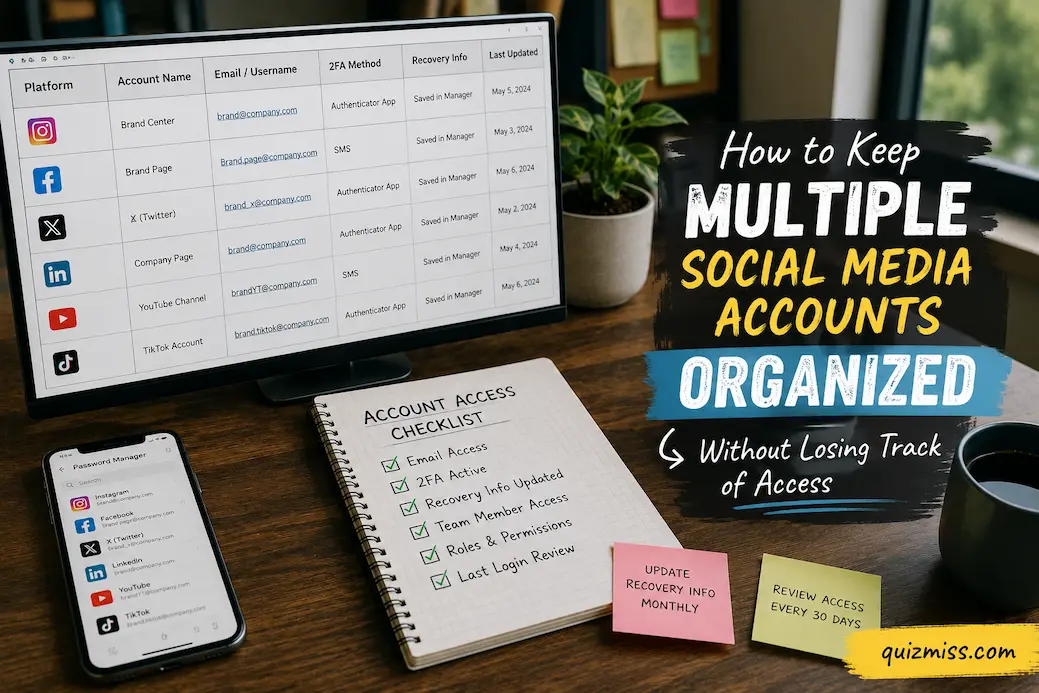
Managing one social media account is usually straightforward. The complications start when several accounts belong to different brands, projects, clients, or personal identities. After a while, it becomes surprisingly easy to forget which email address is attached to an account, where its recovery codes are stored, which phone number receives verification messages, or which third-party service still has permission to access it. The problem is not simply remembering passwords. It is maintaining a clear picture of who owns each account, how to recover it, who can access it, and what tools are connected to it.
A useful system separates these pieces of information instead of trying to keep everything in your head. Your password manager should handle credentials, your account records should identify ownership and recovery details, and the platforms themselves should remain the source of truth for permissions and security settings. That separation makes everyday management easier and also reduces the damage caused by a lost phone, forgotten password, expired recovery method, or former collaborator who still has access.
Build an Account Map Before Changing Anything
Start by making an inventory of every social account you actually control. Include accounts you use frequently and those that are rarely visited. An old profile can still matter if it contains your brand nayou rarely visit connected to another service, or serves as a recovery route for something else.
The inventory does not need to contain sensitive information in plain text. A useful record can simply identify the platform, account or profile name, primary owner, sign-in email, recovery method, responsible person, and whether the account is personal or business-related. Keep actual passwords and authentication secrets in a reputable password manager rather than putting them into a spreadsheet. Google similarly recommends using unique passwords and notes that password managers can help create and manage them.
| Information to track | Why it matters |
|---|---|
| Platform | Prevents accounts from disappearing from your management list |
| Profile or username | Helps distinguish similar accounts |
| Ownership | Establishes who ultimately controls the account |
| Sign-in email | Useful when several addresses are involved |
| Recovery method | Helps determine how access can be restored |
| 2FA method | Identifies where verification depends on a device or app |
| Connected tools | Reveals publishing, analytics, or automation access |
| Current managers | Shows who can act on the account |
| Last security review | Makes periodic maintenance easier |
The important distinction is between an account directory and a credential vault. Your directory should help you understand the structure of your social presence. Your password manager should protect the secrets required to enter it. Combining both into an ordinary spreadsheet may make the information convenient, but it also creates a single document containing far more sensitive information than it needs to hold.
Give Every Account a Clear Owner
Multiple accounts become difficult to manage when ownership is ambiguous. A profile may have been created by one employee, registered with another person’s email address, and later used by several people. That arrangement can function for years until the original owner leaves, loses access to the email account, or changes a recovery phone number that nobody else knows about.
For business or project accounts, establish one clearly defined primary owner and document who is responsible for administration. The person who posts content every day does not necessarily need to be the person who controls recovery and ownership. Separating those responsibilities can make the account easier to manage when staffing changes.
Avoid using a shared password as the default way to give several people access. Where a platform supports individual roles, invitations, business permissions, or delegated access, use those features instead. Google recommends that administrators have identifiable accounts rather than sharing one administrator login, because individual accounts make it possible to determine who acted. It also recommends limiting administrative privileges to what people actually need.
This principle is particularly useful when several people manage social accounts. A content editor may need publishing access but not ownership-level control. An outside designer may need access temporarily but should not automatically remain an administrator forever. Treat access as a responsibility that can be assigned, reviewed, and removed.
Keep the Sign-In Email Deliberately Organized
The email address attached to an account is often more important than people realize. If you have five social profiles and cannot remember which email controls each one, account recovery becomes unnecessarily difficult.
Consider using a consistent naming convention for business or project accounts where practical. The goal isn’t to create dozens of complicated addresses; it’s to make the relationship between an account and its owner clear. If several accounts use different email addresses for legitimate reasons, record those relationships in your account inventory.
More importantly, protect the email accounts themselves. A social media password can be changed, but if an attacker gains control of the email account used for recovery, the social account may become much harder to reclaim. Recovery email addresses and phone numbers should therefore be treated as part of the security chain rather than as an afterthought.
Google’s current security guidance recommends keeping recovery information up to date because recovery contacts can help block unauthorized use, alert you to suspicious activity, and restore access when you cannot sign in.
Stop Reusing Passwords Across Accounts
Multiple social accounts create a strong temptation to use one memorable password with small variations. For example, someone might take one base password and add the platform name to the end. This feels organized, but it creates a predictable relationship between credentials.
A better arrangement is for every important account to have a unique password generated and stored by a password manager. You should not need to remember the individual passwords yourself. Google’s account-security guidance specifically advises against reusing passwords across sites because compromise of one password can put other accounts at risk.
The password manager also becomes part of your organizational system. Give entries meaningful names, such as the platform, brand and account purpose, rather than creating a collection of vague records such as “Instagram login” or “Facebook password.” If several accounts exist on the same platform, a clear naming convention can save considerable time when you need to identify the correct credential.
Do not store recovery codes, passwords, and other authentication information in screenshots scattered across your phone or in unprotected notes. If a credential or recovery code needs to be retained, use the security features designed for storing sensitive information and make sure you understand how the recovery mechanism itself can be restored.
Treat Two-Factor Authentication as Part of Account Organization
Two-factor authentication improves security, but managing it across many accounts can introduce its own organizational problem. You may know the password and still be unable to sign in because the verification method belongs to an old phone, an inaccessible authenticator, or a number that is no longer active.
For each account, record what kind of second factor is being used, without putting the actual authentication secret into an ordinary account list. Depending on what the platform supports, that could be an authenticator app, passkey, security key, or another verification method.
Google currently recommends stronger second-step methods such as security keys and Google Prompts over text-message codes where available, and it supports passkeys as an alternative to passwords. The exact options vary by social platform, so don’t assume that every account offers the same authentication choices.
Recovery deserves equal attention. A security system is incomplete if you enable strong authentication but have no realistic way to regain access after losing your phone. Save available recovery codes securely and verify that the recovery email or other recovery method is still under your control.
Keep Recovery Information Separate From Everyday Access
One of the easiest mistakes is to treat recovery as something you will “address if it happens.” By then, you may already be locked out.
Instead, perform a deliberate recovery review for every important account. Confirm that the recovery email is active, the recovery phone number is current where applicable, authentication devices are still available, and backup methods have not been overlooked. Please ensure you know where the recovery codes for an account are stored.
This does not mean keeping every possible recovery method permanently enabled. Remove old phone numbers, former employees’ addresses, and obsolete devices when they no longer belong to the account owner. Google recommends reviewing recovery options and removing risky or unnecessary third-party access as part of account security maintenance.
A particularly useful habit is to test your understanding of the recovery path without actually triggering account recovery. Ask yourself: If I lost my current phone today, what would I use to regain this account? If the answer is unclear, the account needs attention.
Keep Connected Apps Under Control
Social accounts rarely exist in isolation. They may be connected to scheduling platforms, analytics services, design tools, websites, advertising systems, cross-posting applications, or mobile apps.
Over time, these connections accumulate. You may stop using a service while it continues to retain access to the account. That creates both an organizational problem and a security concern.
Create a simple list of the important third-party services connected to each account. You do not need to record every technical permission in your main inventory, but you should know which external tools can access or act on each profile. Review the platform’s connected-app or authorized-app area periodically and remove services you no longer use.
Google’s security guidance similarly recommends reviewing which applications have access to account information and removing access that is no longer needed. Its Cross-Account Protection system also demonstrates why linked accounts and applications deserve attention: participating apps can receive certain security signals when suspicious activity occurs on a connected Google Account.
The broader lesson is simple: a connection you forgot about is still a connection.
Don’t Let Browser Profiles Become Your Only System
Using separate browser profiles can make multiple social accounts much easier to handle. One profile can keep a particular set of sessions, bookmarks and extensions separate from another. This reduces the chance of accidentally posting from the wrong account or repeatedly signing out and back in.
But browser organization should not become your only record of access. A browser session is not the same thing as ownership. Cookies can be deleted, devices can fail, sessions can expire, and a browser profile can disappear.
Use browser profiles as a convenience layer while maintaining proper account ownership, credentials and recovery information elsewhere. That way, losing a browser session is an inconvenience rather than a crisis.
The same principle applies to mobile apps. If your phone contains several accounts, use the platform’s supported account-switching features where available, but don’t assume that being able to switch between profiles means you have documented who owns them or how each one can be recovered.
Create a Simple Naming System
Organization becomes much easier when the names you use are consistent. This applies to password-manager entries, account records, browser profiles, content folders and even recovery documentation.
For example, instead of naming entries only by platform, use a structure such as:
Platform — Brand/Project — Purpose
That makes “Instagram — Green Studio — Main” immediately distinguishable from “Instagram — Green Studio — Support.”
The exact naming convention doesn’t matter nearly as much as consistency. If you have several accounts that look similar, include enough information to distinguish them without putting unnecessary sensitive data into the name. The objective is to reduce mistakes when you are tired, working quickly, or switching between several clients or projects.
This approach becomes particularly valuable when another trusted person needs to help manage the accounts. A system that makes sense only to the person who created it is not actually well organized.
Review Access When People Leave
Account access should change when responsibilities change. If an employee, contractor, agency, or collaborator no longer works on an account, remove their access through the platform’s permission system and review related third-party connections.
Don’t assume that changing the primary password is always sufficient. A person may have their own delegated role, an active session, a connected application, or access through another account-management system. The exact cleanup process depends on the platform.
For higher-value business accounts, make access reviews part of an offboarding procedure rather than relying on memory. Google’s administrator guidance emphasizes individual accounts, least-privilege access and separate administrative identities rather than shared administrator credentials. Those principles transfer well to social-media management even when a particular platform uses different terminology.
It is also worth reviewing access after temporary projects. Someone who needed administrative access for a launch campaign may not need it six months later.
Keep a Recovery Plan for Your Most Important Accounts
Not every social profile deserves the same level of documentation. If you lose access to a dormant personal account and a business account with a large audience, the consequences are not the same.
Identify your critical accounts and create a more complete recovery record for them. That record might identify the owner, primary email, recovery route, authentication method, important connected services, and where recovery information is securely stored.
Do not include passwords or authentication secrets in a document simply because it makes the checklist easier. The recovery record should tell you where and how access can be restored, not become a second password database.
For especially important business environments, consider whether another trusted person should have a legitimate recovery or administrative role. A single-person dependency is itself a risk: if only one person can access the account and that person becomes unavailable, everyone else may be stuck waiting for recovery.
Make a Periodic Review More Useful Than a Random Cleanup
You do not need to inspect every setting every week. A short scheduled review is more practical.
During a review, work through the accounts that matter most and ask:
- Is the listed owner still the correct owner?
- Does the sign-in email still work?
- Is the recovery information current?
- Is two-factor authentication still configured correctly?
- Are recovery codes available where supported?
- Are unfamiliar devices or sessions present?
- Are third-party applications still needed?
- Does every listed manager still require access?
- Are there dormant accounts that should be secured, archived or closed?
- Can another authorized person explain how the account would be recovered?
This turns account management into maintenance rather than an emergency response. It also creates a useful history. If something changes unexpectedly, you have a recent point of reference.
For important accounts, security alerts should be treated as events worth investigating rather than notifications to dismiss. Google, for example, provides security recommendations and alerts through its Security Checkup system, including warnings about suspicious activity and changes to account access.
The Goal Is to Know Where Every Account Leads
The best multiple-account system is not necessarily the most complicated one. It is the one that lets you answer a few important questions without searching through old messages, phones, browsers, and spreadsheets.
You should be able to identify who owns the account, which email address controls it, how authentication works, how recovery would occur, who else has access, and which external services are connected. Once those relationships are clear, managing ten accounts is much less confusing than managing three accounts with scattered ownership and recovery information.
The real danger of multiple social accounts is not having too many passwords. It is losing track of the relationships between accounts, people, recovery methods and connected services. A simple inventory, a proper password manager, individual access where supported, strong authentication, controlled recovery information and periodic access reviews can turn that confusion into a system that is much easier to maintain.