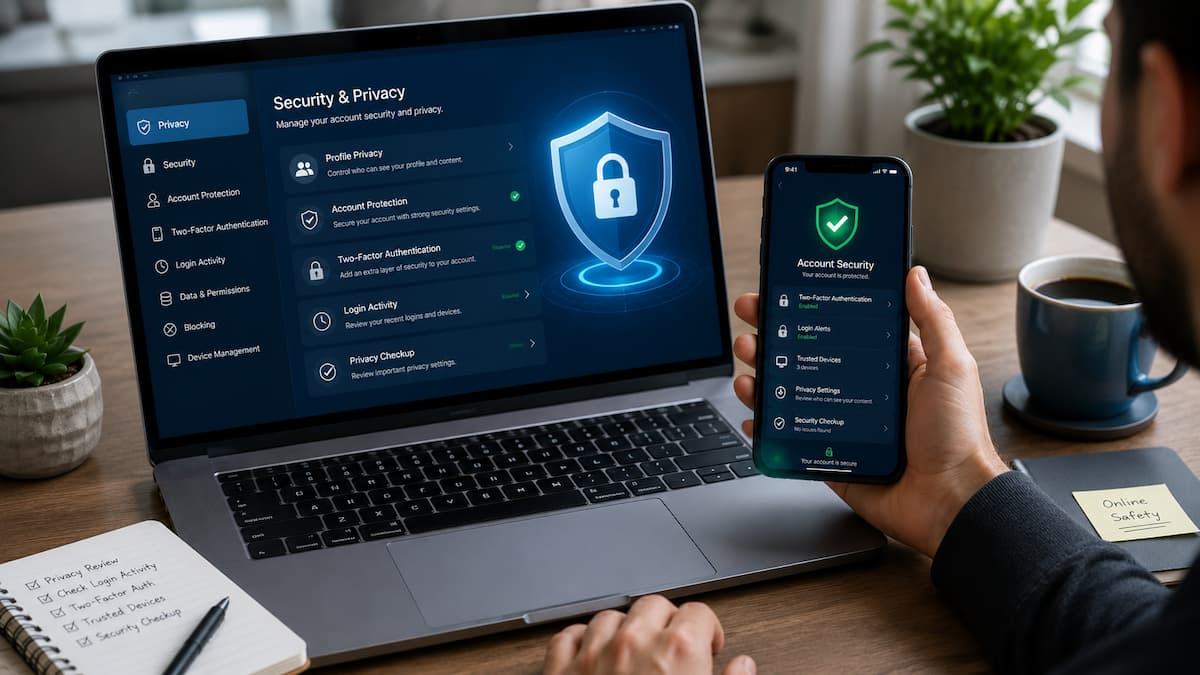
Social media has become a daily part of communication, entertainment, and sharing important moments. People use platforms to connect with friends, follow news, build communities, and even manage professional relationships. However, every post, profile detail, photo, and interaction can reveal information about you if privacy settings are not properly managed. Many users create accounts and start sharing without checking who can view their information, what data platforms collect, or which apps have access to their profiles. Over time, this can create privacy risks such as unwanted messages, identity misuse, account takeovers, and exposure of personal details.
The good news is that improving your social media privacy does not require advanced technical skills. A few smart changes can make a big difference. In this guide, you will learn practical steps to secure your accounts, control your information, review privacy settings, avoid common mistakes, and build safer online habits. Whether you are a casual social media user or someone who shares content regularly, these privacy improvements can help you stay more in control of your digital life.
Why Social Media Privacy Matters Today
Social media privacy is about having control over your personal information and deciding how it is collected, shared, and viewed. Many people think privacy only means hiding posts from strangers, but modern privacy involves much more than that.
Social media platforms collect different types of information, including profile details, activity history, device information, location data, and interactions with other users. Some of this information helps platforms provide features, but users should understand what they are sharing and who can access it. A public profile can reveal details that seem harmless but may become useful to someone with bad intentions. For example, regularly posting vacation photos while away from home can unintentionally tell others that your property may be empty.
Common Privacy Risks Social Media Users Face
| Risk | How It Happens | Possible Solution |
|---|---|---|
| Identity misuse | Sharing too many personal details publicly | Remove unnecessary information from profiles |
| Account hacking | Weak passwords or reused passwords | Use unique passwords and enable extra security |
| Unwanted tracking | Apps accessing location or activity data | Review app permissions regularly |
| Online scams | Attackers pretending to be friends or trusted brands | Verify messages before clicking links |
Privacy problems often happen because users do not regularly check their account settings. Social media platforms frequently update their features, which can sometimes change privacy options or introduce new sharing tools.
Tip: Privacy is not a one-time setup. Think of it like locking your home. You need to check the locks occasionally to make sure everything is still secure.
Review and Update Your Privacy Settings
One of the easiest ways to strengthen social media privacy is reviewing your account settings. Most major platforms provide privacy controls, but many users never explore them after creating an account. Privacy settings allow you to control who can see your information, who can contact you, and how your data is used. Taking a few minutes to review these options can prevent many common privacy problems.
Important Privacy Settings to Check
- Profile visibility: Decide whether your account should be public or limited to approved followers.
- Post audience: Choose who can view your updates, photos, and shared content.
- Search visibility: Control whether people can find you using your email address or phone number.
- Tagging controls: Approve tags before they appear on your profile.
- Message permissions: Limit who can send you direct messages.
Public vs Private Accounts
| Account Type | Advantages | Considerations |
|---|---|---|
| Public Account | Better for creators, businesses, and public communities. | More people can view posts and profile details. |
| Private Account | Better control over followers and shared content. | Requires approving followers manually. |
Neither option is automatically better for everyone. The right choice depends on how you use social media. Someone sharing personal moments with family may prefer a private account, while a content creator may need a public profile.
Common Privacy Setting Mistakes
- Leaving old posts visible to everyone.
- Accepting follower requests from unknown accounts.
- Allowing automatic tagging without approval.
- Ignoring privacy notifications after platform updates.
Warning: Changing privacy settings protects future activity, but old content may still remain visible if you do not review previous posts.
Create Strong Passwords and Improve Account Security
A strong password is one of the most important protections for any online account. Social media accounts often contain personal conversations, private photos, contact lists, and other valuable information. Many account breaches happen because people use simple passwords or reuse the same password across multiple websites. If one service experiences a data leak, attackers may try the stolen password on other platforms.
How to Create a Strong Social Media Password
- Use a long password with multiple words or a password phrase.
- Avoid names, birthdays, and common phrases.
- Create a different password for every important account.
- Consider using a trusted password manager.
Enable Two-Factor Authentication
Two-factor authentication (2FA) adds an extra security step when signing in. Even if someone discovers your password, they may still be unable to access your account without the second verification method. Common 2FA methods include authentication apps, security keys, and verification codes. Authentication apps are generally safer than text messages because phone numbers can sometimes be targeted through scams.
| Security Feature | Protection Level | Recommendation |
|---|---|---|
| Password only | Basic | Not recommended for important accounts |
| Password + SMS code | Better | Useful if other options are unavailable |
| Password + Authentication App | Strong | Recommended for most users |
Security habits become more important as your online presence grows. Taking a few minutes to improve account protection today can prevent major problems later.
Limit the Personal Information You Share
One of the simplest ways to improve social media privacy is to reduce the amount of personal information available online. Many users share details without realising that small pieces of information can create a larger picture about their identity, habits, and daily life.
You do not need to stop using social media or remove everything from your profile. The goal is to be intentional about what you share and understand who can access that information.
Information You Should Review Carefully
| Information Type | Privacy Concern | Safer Approach |
|---|---|---|
| Full birthday | Can be used for identity verification attempts | Share only the month or hide it completely |
| Home address | Reveals your exact location | Never display publicly |
| Phone number | Can lead to unwanted calls or scams | Keep private whenever possible |
| Workplace details | May expose professional information | Share only necessary details |
| Travel plans | Shows when you may be away | Post updates after returning |
The Problem With Oversharing
Oversharing does not always create immediate problems. That is why many people ignore it. However, information shared online can remain accessible for a long time through screenshots, saved posts, or archived pages. For example, a person may post their favourite pet’s name, hometown, birthday celebration, and school information. Each detail alone may seem harmless, but together they could provide clues used in social engineering attacks.
Tip: Before posting, ask yourself: “Would I be comfortable if a stranger knew this information?”
A Simple Privacy Check Before Posting
- Does this post reveal my location?
- Does it include private information about me or someone else?
- Could this information be misunderstood or misused?
- Am I sharing something that needs to be public?
Control Third-Party Apps and Connected Services
Many websites and mobile applications allow users to sign in using social media accounts. This can be convenient, but it also means another service may receive access to certain account information. Over time, users often connect many apps and forget about them. Some of these services may no longer be used but can still have permission to access profile information.
Why Connected Apps Can Create Privacy Issues
Third-party applications may request access to information such as your name, email address, profile details, friends list, or activity information. While many apps are legitimate, unnecessary permissions increase your digital exposure.
How to Review Connected Apps
- Open your social media account settings.
- Find the section related to apps, permissions, or connected services.
- Review every connected application.
- Remove access from apps you no longer use or recognise.
- Repeat this process every few months.
| App Permission | Why It May Be Needed | When to Remove It |
|---|---|---|
| Profile information | Account personalization | If the app is unused |
| Contacts access | Finding friends | If the feature is unnecessary |
| Location access | Maps or local services | If the app does not need your location |
| Posting permission | Automatic sharing features | If you do not actively use it |
Warning: Never approve access requests from unknown applications simply because they promise rewards, followers, or special features.
Manage Location Sharing and Tracking
Location sharing can make social media more useful by helping users discover nearby places, events, and services. However, location data is also sensitive information that should be managed carefully. Many apps request location access by default. Some users approve these requests without checking whether the permission is actually necessary.
Review Location Permissions
Check both your social media settings and your phone settings. A platform may have location options inside the app, while your smartphone controls the broader permission level.
Recommended Location Settings
- Allow location only when needed.
- Disable background location access for apps that do not require it.
- Avoid automatically adding locations to every post.
- Review location permissions after installing updates.
Location Privacy Mistakes to Avoid
| Mistake | Why It Matters |
|---|---|
| Posting live vacation updates | Reveals that your home may be empty |
| Sharing children’s locations publicly | Exposes sensitive family information |
| Leaving location services always enabled | Allows unnecessary tracking |
A good approach is to share experiences without revealing exact patterns of your daily movements.
Protect Your Posts, Photos, and Online Activity
Photos and posts often contain more information than people realise. Background details, visible documents, locations, and other people in images can unintentionally reveal private information. Before uploading content, take a moment to review what appears in the image or video. Privacy protection is not only about what you write; visual information matters too.
Things to Check Before Sharing Photos
- Remove images showing personal documents or private screens.
- Check if addresses, licence plates, or personal information are visible.
- Ask permission before posting photos of other people.
- Avoid sharing children’s personal details publicly.
Review Old Posts Regularly
Many users focus only on new content and forget about older posts. A post created years ago may no longer represent your current privacy preferences. A regular review can help you remove outdated information, change audiences, or delete content that you no longer want available.
Helpful Post Management Practices
- Use audience controls for personal updates.
- Archive old content when available instead of deleting everything.
- Review tagged photos and mentions.
- Remove posts that reveal unnecessary personal information.
Expert Tip: Your online profile is a digital representation of you. Review it the same way you would organise your personal documents.
Avoid Social Engineering and Privacy Scams
Many privacy problems do not happen because of weak technology. They happen because attackers trick people into sharing information. This technique is known as social engineering. Scammers often create messages that look realistic. They may pretend to be friends, customer support agents, companies, or other trusted sources.
Common Social Media Scams
| Scam Type | How It Works | Safe Response |
|---|---|---|
| Fake security alert | Claims your account will be closed | Verify through the official app |
| Fake giveaway | Promises prizes for personal details | Do not share private information |
| Friend impersonation | Uses a copied account to request help | Confirm identity another way |
| Suspicious links | Directs users to fake login pages | Avoid clicking unknown links |
Warning Signs of Suspicious Messages
- The message creates urgency or fear.
- The sender asks for passwords or verification codes.
- The offer sounds too good to be true.
- The account profile looks recently created or unusual.
Warning: Legitimate companies will not ask for your password or authentication codes through direct messages.
Useful Privacy Tools and Security Features
Modern social media platforms provide many built-in security tools. Many users ignore these features because they seem complicated, but most are designed for everyday users.
Important Security Features to Use
| Feature | Purpose | Benefit |
|---|---|---|
| Two-factor authentication | Adds extra login verification | Reduces risk from stolen passwords |
| Login alerts | Notifies you about account access | Helps identify suspicious activity quickly |
| Privacy checkup tools | Reviews account settings | Makes privacy management easier |
| Blocked accounts list | Controls unwanted interactions | Improves personal safety |
| Password managers | Stores unique passwords securely | Prevents password reuse |
Using Security Notifications Correctly
Security notifications can help you react quickly when something unusual happens. However, always check notifications through the official app or website instead of clicking links in unexpected emails or messages.
Attackers often create fake security warnings to steal login details. A message saying your account will be deleted within minutes is usually designed to make you act without thinking.
Best Practice: When in doubt, open the social media app directly and check your account status from the settings menu.
What To Do If Your Privacy Has Already Been Compromised
Even careful users can experience privacy problems. A leaked password, suspicious login, or accidental public post can happen to anyone. The important step is responding quickly.
Steps to Take After a Privacy Problem
- Secure your account: Change your password and enable two-factor authentication.
- Review recent activity: Check login history and remove unknown devices.
- Remove suspicious connections: Delete unknown apps or services connected to your account.
- Update privacy settings: Limit who can view your information.
- Report suspicious activity: Use official reporting options provided by the platform.
Common Mistakes After a Privacy Incident
- Ignoring the problem because nothing seems wrong immediately.
- Using the same compromised password again.
- Clicking recovery links from unknown messages.
- Sharing more personal details while asking for help publicly.
Building Better Digital Privacy Habits
Privacy protection is not only about settings and technology. Daily habits play an important role in keeping your information safe.
Simple Habits That Improve Privacy
- Think before sharing personal details.
- Use different passwords for important accounts.
- Do not accept every friend or follower request.
- Check app permissions regularly.
- Keep your phone and apps updated.
- Be careful when using public Wi-Fi networks.
Small changes create stronger protection over time. You do not need to become a cybersecurity expert to make smarter privacy decisions.
FAQs
1. Why is social media privacy important?
Social media privacy helps you control who can access your personal information, photos, conversations, and online activity. Without proper privacy settings, strangers, scammers, or unwanted advertisers may collect more information than you intended to share. Managing privacy settings reduces unnecessary exposure and helps protect your digital identity.
2. Should I make my social media account private?
A private account can provide more control because only approved followers can view your content. However, the best choice depends on how you use social media. Public accounts may be useful for businesses, creators, or communities, while private accounts are often better for personal sharing. Review your goals and choose the option that fits your needs.
3. Can social media platforms see my private information?
Social media platforms may collect certain information to provide services, improve features, and personalise experiences. Privacy settings can control what other users see, but they do not always prevent platforms from processing information internally. Reading privacy policies and reviewing account controls can help you better understand how your information is handled.
4. How often should I check my social media privacy settings?
A privacy review every few months is a good habit. You should also check settings after major platform updates, new app connections, or changes to your online activity. Regular reviews help you notice new options, remove unnecessary permissions, and maintain better control over your information.
5. Is two-factor authentication worth enabling?
Yes. Two-factor authentication adds verification step when logging in. It provides extra protection because a stolen password alone is usually not enough to access the account. While no security method is perfect, enabling this feature significantly improves account protection compared with using only a password.
6. What information should I avoid sharing publicly?
Avoid publicly sharing sensitive details such as your home address, private phone number, financial information, travel schedule, security answers, or documents containing personal data. Also consider whether photos reveal locations, personal routines, or information about other people without their permission.
Conclusion
Social media privacy does not require complicated technology or advanced knowledge. It starts with simple decisions: reviewing settings, protecting passwords, limiting personal information, and being careful about what you share. The most effective privacy improvements come from combining security features with smart online habits. A strong password, two-factor authentication, careful posting, and regular privacy reviews work together to create better protection.
Your online presence represents a part of your personal identity. Taking control of your privacy settings allows you to enjoy social media while reducing unnecessary risks. Start with a few small changes today, then build better privacy habits over time.
References and Reliable Sources
- National Institute of Standards and Technology (NIST) – Cybersecurity guidance and authentication recommendations.
- Federal Trade Commission (FTC) – Consumer advice about online privacy, scams, and account security.
- Cybersecurity & Infrastructure Security Agency (CISA) – Online safety and account protection guidance.
- Electronic Frontier Foundation (EFF) – Digital privacy education and user protection resources.
- Official privacy and security documentation from major social media platforms – Account settings, privacy controls, and security features.
Leave a Reply