
If you’ve spent any time reading about WordPress performance, you’ve almost certainly come across the term Core Web Vitals. They’re often presented as the secret to ranking higher in search results or making a website load instantly. That has led many website owners to chase perfect scores in performance testing tools without fully understanding what those scores represent.
Core Web Vitals aren’t designed to reward websites that look good in benchmarking tools. They exist to measure how visitors actually experience a webpage. A site that loads quickly but shifts its layout while someone is trying to click a button creates a frustrating experience. Likewise, a page that appears visible within seconds but doesn’t respond when someone taps a menu is technically loaded, yet still feels slow.
That’s why improving Core Web Vitals isn’t about finding one plugin that promises a 100-point performance score. It involves looking at the entire journey a visitor takes, from the moment they request a page until they can comfortably interact with it. Some improvements happen at the server level, others depend on how your theme is built, while many are influenced by images, fonts, plugins, or even third-party services that you may have forgotten are running.
This guide focuses on practical improvements rather than shortcuts. Instead of chasing artificial scores, you’ll learn how to make a WordPress website genuinely faster, more responsive, and more stable for real users while following current best practices through July 2026.
Before Optimizing Anything, Understand What Core Web Vitals Measure
One of the biggest misconceptions is treating Core Web Vitals as a single performance score.
They’re actually a collection of measurements that evaluate different parts of the browsing experience.
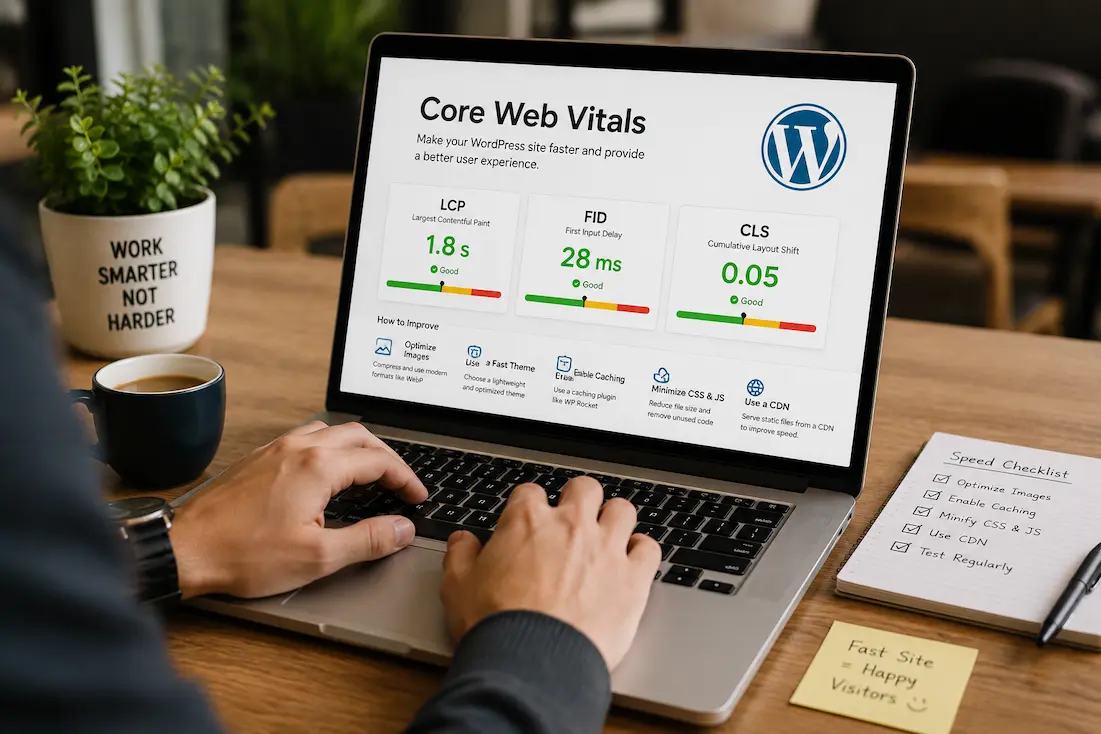
Today, Google’s primary Core Web Vitals include the following:
| Metric | What It Measures | Why It Matters |
|---|---|---|
| Largest Contentful Paint (LCP) | How quickly the main content becomes visible | Visitors know the page is loading properly |
| Interaction to Next Paint (INP) | How quickly the page responds after user interaction | Menus, buttons and forms feel responsive |
| Cumulative Layout Shift (CLS) | How stable the page remains while loading | Prevents unexpected movement of page elements |
Improving one metric doesn’t automatically improve the others.
For example, compressing images may reduce LCP without affecting CLS, while reserving space for advertisements improves CLS without changing server response time.
Looking at each metric individually produces much better results than trying to optimize everything at once.
Measure Real Performance Instead of Guessing
A website can feel fast on your own computer because your browser has already cached files and you’re using a fast internet connection.
Visitors don’t always have those advantages.
Before making changes, test several pages rather than only the homepage.
Check:
- Homepage
- Blog articles
- Category archives
- Contact page
- Product pages (if applicable)
Different page types often perform differently.
For example, a homepage containing sliders and featured posts may have completely different bottlenecks than a simple blog article.
Also remember that performance testing tools provide two kinds of information.
Laboratory data simulates loading under controlled conditions.
Field data reflects how real visitors experienced your pages over time.
When the two disagree, field data usually deserves greater attention because it represents actual users instead of simulations.
The Biggest Improvement Usually Happens Before the Browser Downloads Anything
Many website owners immediately begin compressing images or minimizing CSS files.
Those optimizations matter, but they happen after the browser has already contacted your server.
If the server itself takes several seconds to respond, every other optimization starts from a disadvantage.
Server response time depends on several factors.
Your hosting environment determines how much CPU power and memory are available.
PHP processes generate the page.
Database queries retrieve content.
Plugins add additional processing.
Every delay before the first byte reaches the visitor increases loading time.
For this reason, moving from overloaded shared hosting to faster infrastructure sometimes improves Core Web Vitals more than installing multiple optimization plugins.
A healthy server creates a stronger foundation for every other optimization.
Images Still Have the Greatest Influence on Loading Speed
On many WordPress websites, images account for the majority of downloaded data.
The issue isn’t simply having images.
It’s serving images that are much larger than necessary.
Consider a typical article banner.
A camera may produce an image measuring 6000 pixels across, but the article only displays it at 1200 pixels.
Visitors still download the larger version unless it’s resized beforehand.
Modern image formats such as WebP and AVIF dramatically reduce file sizes while maintaining excellent visual quality.
Equally important is selecting dimensions that match how the image will actually appear on the page.
Another improvement involves avoiding decorative images that contribute little value.
Every image should support the content rather than simply occupy space.
Layout Stability Begins With Planning
One of the easiest ways to create a poor browsing experience is allowing elements to move while the page loads.
Imagine trying to tap a navigation link only to have an advertisement suddenly appear above it, pushing everything downward.
That’s precisely the kind of frustration cumulative layout shift measures.
Many layout shifts happen because browsers don’t know how much space an element requires until it finishes downloading.
This often affects:
- Images without defined dimensions.
- Advertisement placeholders.
- Embedded videos.
- Dynamic banners.
- Font loading.
Providing image dimensions and reserving space for advertisements allows browsers to build the page layout before all resources have finished loading.
Visitors experience a stable interface instead of one that constantly rearranges itself.
Interaction Speed Depends on More Than Loading Time
Some websites appear fully loaded but still respond slowly when users click buttons.
This usually points toward excessive JavaScript.
Every script added to a page requires processing before the browser becomes fully interactive.
Interactive features certainly have value.
Search filters, sliders, animations, and dynamic menus all improve functionality when implemented carefully.
Problems arise when dozens of scripts compete for browser resources at the same time.
Rather than asking whether JavaScript exists, ask whether each script genuinely improves the visitor’s experience.
Features that provide little practical benefit but consume noticeable processing time are often worth removing.
Fonts Can Quietly Affect Core Web Vitals
Typography rarely receives much attention during optimization discussions, yet fonts influence both loading speed and layout stability.
Every additional font family, style, and weight increases the number of files browsers must download.
Some websites load:
- Regular
- Medium
- Semi-bold
- Bold
- Extra bold
- Italic
- Light
…even though only two or three variations actually appear.
Reducing unnecessary font files simplifies loading while improving consistency.
Where possible, host fonts locally instead of depending entirely on external providers.
This reduces additional network requests and gives you greater control over performance.
Plugins Should Solve Problems, Not Create Them
Every plugin introduces additional PHP code, database queries, scripts, stylesheets, or background processes.
That doesn’t make plugins inherently bad.
The important question is whether each plugin justifies its impact.
It’s common to find WordPress websites running separate plugins for the following:
- popups,
- analytics,
- related posts,
- sliders,
- forms,
- optimization,
- social sharing,
- chat,
- backups.
Individually, they may seem lightweight.
Collectively they can slow page generation considerably.
Instead of counting plugins, review their purpose.
If two plugins perform similar tasks, consolidating them often improves both performance and maintenance.
Database Health Affects More Than Dashboard Speed
As websites grow, so do their databases.
Years of revisions, expired temporary records, plugin leftovers, and unnecessary metadata gradually increase the amount of information WordPress processes.
Although database optimization rarely transforms performance overnight, reducing unnecessary overhead helps maintain consistency.
Busy WooCommerce stores, membership websites, and forums benefit even more because they generate new records constantly.
Routine maintenance prevents small inefficiencies from accumulating into larger problems.
Caching Should Match Your Hosting Environment
Caching is often presented as a universal solution.
In reality, the best caching strategy depends on how your website is hosted.
Many managed WordPress hosts already include server-level caching.
Installing several additional caching plugins may duplicate functionality without improving performance.
Before changing caching settings, determine what already exists.
Understanding your hosting platform prevents unnecessary complexity and reduces the likelihood of configuration conflicts.
Third-Party Services Often Become Hidden Bottlenecks
Not every slow request originates from WordPress.
Many pages depend on resources supplied by other companies.
Examples include:
- Embedded YouTube videos.
- Live chat widgets.
- Advertising networks.
- Analytics platforms.
- Social media feeds.
- Online maps.
- Marketing software.
Each additional service requires separate browser connections.
If one provider responds slowly, visitors experience delays even though your own server is functioning normally.
Review these services periodically.
If a feature is rarely used, removing it may improve performance more than hours of technical optimization elsewhere.
Mobile Visitors Usually Reveal Performance Problems First
Desktop computers have faster processors, larger memory, and more reliable internet connections than many smartphones.
A page that appears smooth on a desktop monitor may feel sluggish on a mid-range mobile device.
Because mobile traffic now represents a substantial portion of WordPress visitors, optimization decisions should reflect mobile performance rather than desktop convenience.
Testing on actual phones—not only emulators—often reveals interaction delays that synthetic benchmarks overlook.
Build Around Content, Not Benchmark Scores
Performance tools provide useful guidance, but they shouldn’t become the ultimate objective.
It’s possible to achieve an impressive benchmark score while delivering an unpleasant reading experience.
For example, aggressively delaying image loading may improve technical metrics while leaving visitors staring at blank placeholders.
Likewise, removing useful functionality simply to eliminate a few kilobytes of JavaScript rarely benefits readers.
Performance improvements should support usability.
If an optimization harms navigation, accessibility, or readability, reconsider whether it’s truly an improvement.
Small Improvements Usually Outperform One Dramatic Change
Website optimization isn’t normally solved through one major upgrade.
Instead, meaningful gains often come from many smaller improvements working together.
Perhaps you:
- resize oversized images,
- remove two unnecessary plugins,
- enable efficient caching,
- reduce external scripts,
- optimize fonts,
- clean the database,
- Improve hosting.
None of these changes alone may cut loading time in half.
Together they often produce a website that feels noticeably faster and far more responsive.
Common Mistakes That Hurt Core Web Vitals
Many website owners unintentionally create new problems while trying to improve performance.
Some examples include:
- Installing multiple optimization plugins that duplicate each other’s work.
- Compressing images until quality becomes noticeably poor.
- Loading videos directly from the hosting account instead of using a streaming platform.
- Ignoring mobile testing.
- Chasing perfect benchmark scores instead of improving the visitor experience.
- Leaving unused plugins and themes installed indefinitely.
- Adding numerous tracking scripts without reviewing their impact.
- Forgetting to test after major updates.
Optimization should simplify your website, not make it more complicated.
A Practical Maintenance Routine
Improving Core Web Vitals isn’t a one-time task.
As your website evolves, new articles, plugins, media files, and third-party services gradually change performance.
A simple maintenance routine helps keep those changes under control.
Every few months:
- Review installed plugins.
- Remove software you no longer use.
- Compress newly uploaded images.
- Check for unusually slow pages.
- Test both desktop and mobile performance.
- Update WordPress, themes, and plugins after creating a backup.
- Monitor hosting resource usage if traffic has grown.
Small, consistent improvements are far easier than trying to rescue a website that’s been neglected for years.
Core Web Vitals Optimization Checklist
| Area | Action |
|---|---|
| Hosting | Choose reliable hosting with adequate resources |
| Images | Resize, compress, and use WebP or AVIF |
| Fonts | Reduce unnecessary font files and host locally when practical |
| Plugins | Remove redundant or resource-heavy plugins |
| JavaScript | Eliminate scripts that don’t provide real value |
| Layout | Reserve space for images, ads, and embeds |
| Database | Clean unnecessary records periodically |
| Caching | Use an approach appropriate for your hosting |
| Third-party services | Remove unused widgets and tracking scripts |
| Mobile | Test regularly on real devices |
Frequently Asked Questions
Are Core Web Vitals still important in 2026?
Yes. While search algorithms continue evolving, Google’s focus remains on delivering pages that provide a fast, stable, and responsive experience for users. Improving Core Web Vitals also benefits visitors regardless of search rankings.
Can one plugin fix all Core Web Vitals problems?
No. Plugins can assist with caching, image optimization, or code delivery, but they can’t compensate for poor hosting, oversized media, inefficient themes, or excessive third-party scripts.
Does changing hosting improve Core Web Vitals?
It often does. Faster servers reduce response times, giving every page a better starting point before browsers begin downloading content.
Should I aim for a perfect performance score?
Not necessarily. A consistently fast, user-friendly website is far more valuable than a perfect benchmark score achieved by sacrificing functionality or usability.
Why is my homepage slower than my articles?
Homepages usually include more content, featured images, widgets, sliders, advertisements, and scripts than individual posts, making them naturally heavier.
Will deleting plugins always make WordPress faster?
Only if those plugins consume meaningful resources. Removing lightweight plugins simply to reduce the total count doesn’t automatically improve performance.
How often should I test Core Web Vitals?
Testing after significant updates and performing a broader review every few months is usually sufficient for most websites.
Is mobile optimization more important than desktop optimization?
Both matter, but mobile performance deserves particular attention because many visitors browse using smartphones with slower hardware and network connections.
Conclusion
Improving Core Web Vitals isn’t about gaming performance tools or collecting optimization plugins. It’s about making your WordPress website genuinely easier and more enjoyable to use. Visitors don’t notice benchmark scores—they notice pages that appear quickly, respond immediately when they interact, and remain visually stable while loading.
The most successful optimizations usually come from understanding how your website works rather than applying generic performance tips. A dependable hosting environment, efficient themes and plugins, properly optimized media, sensible use of third-party services, and regular maintenance create a solid foundation that benefits both users and search engines. Focus on delivering a consistently smooth browsing experience, and strong Core Web Vitals will often follow naturally.
Official Resources
For deeper technical guidance, consult the official documentation from WordPress and Google regarding Core Web Vitals, PageSpeed Insights, and performance optimization. Your hosting provider’s documentation can also help explain server-level caching, PHP configuration, and CDN settings that influence real-world loading performance.