
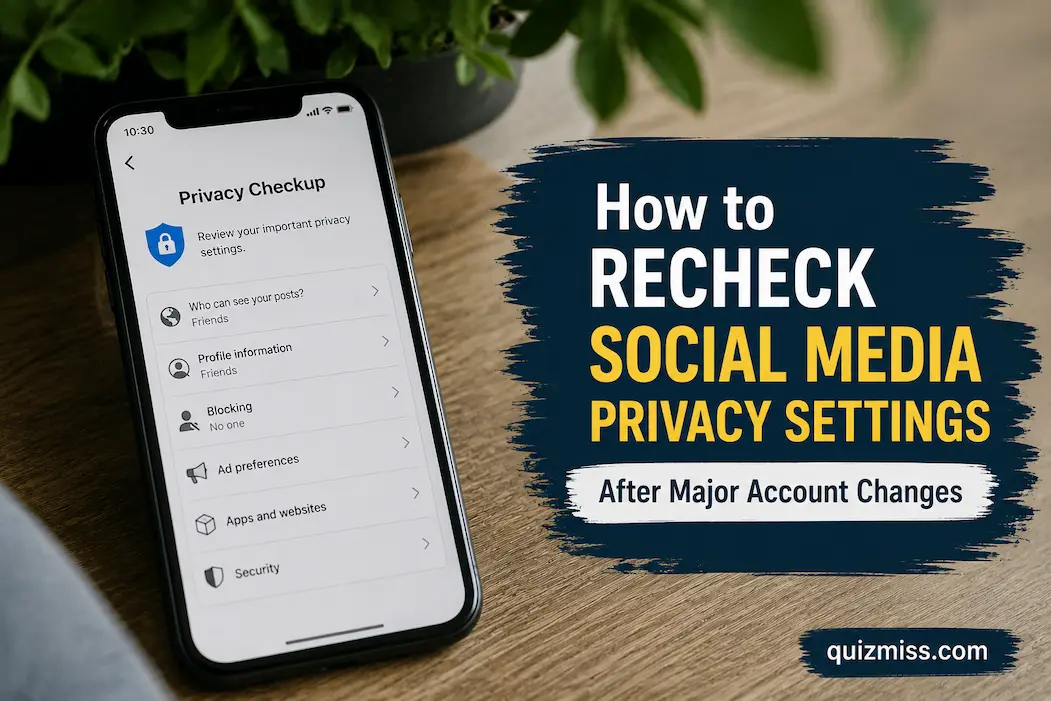
Changing a social media account can quietly change more than the thing you intended to change. Switching from a personal profile to a professional one, changing the account email, connecting a new application, adding another administrator, restoring a locked account, changing the phone number, or moving to a new device can all affect how the account is accessed and what information is exposed. Even when the platform does not automatically alter every privacy option, a major account change is a good reason to check the surrounding settings rather than assuming everything stayed as it was.
The most useful approach is to treat a major account change as a privacy reset point. Instead of opening every setting and changing things randomly, review the areas that determine who can see your information, who can contact you, which services can access the account, and what the platform can use for personalization or recommendations. This is also a good opportunity to remove old access and recovery information that no longer belongs to you. The exact menus differ between platforms, but the underlying review process is surprisingly consistent.
First, Identify What Actually Changed
Before reviewing privacy settings, write down what happened. This sounds unnecessary, but it prevents you from performing a broad and unfocused security cleanup. If you changed the account’s email address, for example, your first priority is verifying ownership and recovery information. If you added a social media management service, connected applications deserve more attention. If another person was given administrative access, permissions and account visibility become especially important.
The change itself can also tell you which settings are most likely to have become outdated. A new phone number should prompt a review of recovery and login methods. A new device should lead to a review of active sessions. A new business role should trigger an examination of who can administer the account. A profile-name or account-type change should encourage you to check what information is publicly visible because the audience may have changed.
This prevents a common mistake: treating “privacy settings” as one single switch. They are really a collection of controls covering different kinds of exposure. Someone can have a private profile while still revealing their location through posts, allowing unwanted messages, maintaining old third-party access, or leaving an outdated recovery method attached to the account.
Check the Public View Before Diving Into Settings
One of the most useful checks is also one of the simplest: look at the profile from the perspective of someone who is not logged in as you. Many platforms provide some form of public-view or profile-preview function, although the name and availability vary.
Look at the information that a stranger can actually see. Check the profile photo, biography, links, location information, contact details, follower or following information where applicable, older posts, tagged content, and any other profile fields that have become visible. Do not rely solely on what the privacy dashboard says. The final result that another person can see is what matters.
This is especially important after a profile has been converted from personal use to business or creator use. A change in account type can introduce new profile fields or public-facing features. It can also change how people discover the account. If the account is now intended for customers or a wider audience, you may deliberately want some information public while keeping personal details restricted.
The goal is therefore not to make everything private. The goal is to make the visibility match the reason you now use the account.
Recheck Profile Information That You May Have Forgotten
Major account changes often cause people to update one important field while overlooking several smaller ones. An old city, workplace, school, birthday, phone number, secondary email address, website, or personal description may still be attached to the profile.
Review each profile field individually. Ask whether the information is still accurate, whether it needs to be public, and whether it provides more personal information than necessary. A business account may reasonably display a company website and professional contact method while having no reason to expose a personal phone number.
The same principle applies to profile photos and usernames. An old username may reveal a connection to another service, while an old profile picture may identify a person or location that you no longer want publicly associated with the account. Privacy is not only about hidden menus; information deliberately placed on a public profile can be just as revealing as a setting that was accidentally left enabled.
Revisit Who Can See Your Posts
Posts deserve a separate review because account changes can alter the audience you intended to reach. Check the platform’s controls for default post visibility and examine whether older posts have different visibility rules.
Don’t assume that changing a default setting automatically changes everything you posted in the past. Many platforms distinguish between the default audience for new content and the visibility of existing posts. Depending on the service, older posts may remain visible to the audience selected when they were originally published.
If the account has moved from private personal use to public professional use, consider whether older personal content still belongs on the same profile. You may not need to delete everything, but reviewing old posts can reveal information that made sense for a small circle of friends and makes less sense on a public-facing account.
A useful question is: Would I intentionally publish this information to the current audience today? If the answer is no, investigate whether the platform allows you to change the audience, archive the content, remove it, or otherwise limit its visibility.
Check Tags, Mentions and Profile Appearance
Privacy can be affected by what other people add to your profile, not just what you publish yourself. Review controls governing tags, mentions, comments, and posts that appear on your profile.
Where the platform offers approval controls, consider using them for situations where you want to decide what becomes associated with your profile. This is particularly useful for accounts that have become more public or professional. A harmless tag on a personal profile can become awkward when the same profile is now being used as a business identity.
Also check whether other people can mention the account in posts, stories, comments, or other content. You may not be able to prevent every form of reference, but platforms often provide controls over how those interactions appear or whether they generate notifications.
This is an area where privacy and reputation overlap. You are not simply controlling who sees your information; you are controlling how easily other people’s activity can become associated with your account.
Review Who Can Contact You
A privacy review should include messages, comments and interaction requests. After a major account change, you may suddenly have a much larger audience than before.
Check who can send direct messages, who can add you to groups, who can comment, who can reply to stories or similar temporary content, and whether unwanted interactions can be filtered. The names of these options differ considerably between platforms, so look for the controls related to messages, comments, mentions, replies and interaction requests rather than expecting identical menus everywhere.
Think about the account’s purpose when choosing these settings. A private personal account may benefit from a restrictive approach. A public business account may intentionally allow messages from people who are not followers. In that situation, completely blocking unfamiliar contacts could undermine the account’s purpose.
A better privacy setting is therefore not necessarily the strictest one. It is the setting that permits the interactions you actually need while limiting the ones you do not.
Recheck Location and Other Sensitive Information
Location deserves special attention because it can be revealed through several different mechanisms. A social platform may use location information for features or recommendations, while posts can also contain location tags or reveal places through photos and captions.
Check whether location-sharing features are enabled where applicable and whether old location-related information remains visible. If you use a phone to post content, remember that device-level permissions and social-platform settings are separate layers. Android, for example, provides a Security and privacy area where users can review privacy permissions, including location access, while the exact options vary by device and Android version.
Do not assume that turning off one location-related option removes every possible form of location information. A platform can receive information through different features, and a person can reveal a location simply by publishing a recognizable photograph. Privacy review therefore requires looking at both settings and behavior.
Examine Connected Apps and Websites
This is one of the most important areas to revisit after a major account change. Social accounts are frequently connected to scheduling services, games, shopping sites, analytics platforms, editing tools, websites and other applications.
Open the platform’s area for connected apps, authorized applications, websites or integrations. Review each entry and ask whether you still recognize it and whether it still needs access. Remove connections you no longer use rather than leaving them indefinitely.
Google’s current account-security guidance similarly recommends reviewing third-party access and removing access that is no longer necessary. Its security systems also provide alerts about suspicious activity and account-access events, making connected services part of the wider account-security picture.
Pay attention to applications you connected years ago. They are easy to forget because the original reason for granting access may no longer exist. If you are unsure why an application has access, investigate it before keeping it connected. Removing unnecessary access is generally preferable to maintaining permissions simply because they might be useful someday.
Look at Active Sessions and Recognized Devices
Changing a password or email address does not mean you should stop checking logged-in devices. Review the platform’s list of active sessions, logged-in devices or recent login activity if it provides one.
Look for devices you recognize and locations that make sense. A familiar device may appear with an unexpected location because of mobile networks, VPNs or other factors, so do not treat every unfamiliar location as proof of compromise. However, a device or session you genuinely cannot explain deserves investigation.
If you find something you do not recognize, use the platform’s official account-security process rather than simply ignoring it. For Google Accounts, for example, the current guidance recommends reviewing signed-in devices and removing anything you do not recognize, followed by additional account-security measures where appropriate.
This check is especially important after selling or giving away a phone, using a shared computer, changing work responsibilities, or moving an account from one device to another.
Recheck Recovery Information Separately
Privacy settings and recovery settings are related but not identical. After changing an email address, phone number, password, or authentication method, confirm that the account can still be recovered by the person who legitimately owns it.
Check recovery email addresses, phone numbers, backup methods, passkeys, authenticator devices, security keys, and recovery codes where supported. Remove methods that belong to someone else or are no longer active.
This matters because an outdated recovery method can become a hidden account-control problem. A former phone number might eventually be assigned to someone else. An old employee’s email address may remain attached to a business account. A forgotten authentication device may be unavailable exactly when you need it.
Google’s security guidance recommends keeping recovery information current, particularly when there are changes to account access or suspicious activity.
Check Security Settings After the Privacy Review
Once the privacy controls are reviewed, move into the security side of the account. Confirm that two-factor authentication or another strong sign-in method is still enabled where available, and check whether the authentication method matches how you currently use the account.
This is particularly important after changing phones. A new phone can become the primary authentication device while the old phone remains signed in or registered. You want to know which device is trusted, which backup methods exist, and whether the old device should still have access.
Do not weaken authentication simply because you are trying to make the account easier to manage. Convenience and security do not have to be opposites. A password manager, supported passkeys, authenticator applications, security keys and properly maintained recovery options can reduce the friction of stronger account protection.
Review Advertising and Personalization Controls Separately
Privacy settings can also cover how the platform uses information for personalization, recommendations and advertising. These controls are not always located in the same menu as profile visibility.
After a major change, look through the platform’s privacy or data settings for controls concerning activity history, personalization, contact uploading, ad preferences and recommendations. Read the descriptions before changing them because disabling a personalization feature may change how the service works without necessarily preventing the platform from collecting all information associated with providing the service.
Google, for example, provides controls for managing activity and personalization across its services and explains that users can review or delete certain saved activity. The specific controls on social platforms will differ, so avoid assuming that a setting with a familiar name has the same effect everywhere.
This distinction matters because “private profile” and “less personalized advertising” are not the same thing. They address different forms of data use.
Don’t Forget Contact Uploading
Contact syncing deserves a specific look after an account change. Some social applications can use uploaded contacts to help people discover friends or connections. If you previously allowed contact syncing, changing the account’s purpose may make that permission less appropriate.
Check both the platform’s own contact-uploading settings and the device-level permission that allows an app to access contacts. Android’s privacy controls, for example, allow users to review and manage app permissions, while newer Android policy changes are also moving toward more limited approaches to broad contact access.
Turning off a permission does not necessarily mean previously uploaded data disappears automatically. Where the platform provides a separate option to delete uploaded contacts or previously synchronized information, review that option too.
This is an important example of why privacy reviews should distinguish between what an application can access now and what information it may already have received.
If Someone Else Was Added, Review Everything They Can See
Adding an administrator, manager, agency, family member, assistant or collaborator is one of the clearest reasons to perform a privacy review.
First, determine what role that person actually needs. Then check whether the platform’s role system allows you to give them only those permissions. Avoid giving ownership-level access when publishing or moderation access is sufficient.
Next, review what changed outside the platform itself. A new administrator may have access to connected business tools, advertising accounts, analytics systems or other integrations depending on how the account is structured. The social platform’s permissions page may not tell you everything about external systems.
When the collaboration ends, remove access promptly. Do not keep former collaborators attached simply because “they probably won’t do anything.” Good access management is about reducing unnecessary opportunities, not predicting people’s intentions.
Use a Before-and-After Record for Major Changes
For particularly important accounts, make a short record immediately after completing the review. You do not need to record every privacy setting in detail. Instead, note the date, major changes made, current account owner, authentication method, connected services reviewed, and any settings that require another person’s approval.
This creates a useful reference point if the account behaves differently later. You can compare the current configuration with the state immediately after the major change rather than trying to remember what you selected weeks earlier.
Do not store passwords, authentication secrets or recovery codes in this record. Those belong in the appropriate secure storage system. The purpose of the review record is to document the configuration and decisions, not to create another copy of the credentials.
A Practical Recheck Order
If you do not want to spend an hour wandering through menus, use a consistent order. Start with the public profile, then review content visibility, interactions, tags and mentions, account discovery, connected applications, active sessions, recovery methods, authentication, device permissions, and finally personalization and data controls.
The order is useful because it moves from what other people can see toward what systems and people can access behind the scenes. It also makes it less likely that you will spend twenty minutes adjusting a minor preference while overlooking an old administrator or connected application.
For a major business-account change, repeat the process from another authorized account or ask another trusted person to review the public-facing result. A second pair of eyes can notice information that the account owner has become accustomed to seeing.
When You Should Treat the Review as a Security Check
Not every account change indicates a security problem. Changing your profile name or adding a new legitimate administrator is different from discovering an unfamiliar login or recovery email.
However, if the major change was unexpected, you noticed unfamiliar devices, received unexplained login alerts, found an unknown connected application, or discovered that recovery information was altered without your permission, stop treating the situation as an ordinary privacy cleanup. Secure the account using the platform’s official compromised-account process and investigate the access history before making a large number of unrelated changes.
Google’s current security guidance specifically recommends reviewing security activity and recovery information when account changes or suspicious activity occur.
Documenting suspicious activity before deleting evidence can also be useful. Record unfamiliar devices, notifications or changes that you did not make, then follow the platform’s official recovery and security instructions.
The Most Important Check Is Whether the Settings Still Match the Account’s Purpose
A privacy review after a major account change is not about turning every option to its most restrictive setting. That can make a public professional account difficult to use just as easily as leaving everything open can expose too much personal information.
Instead, compare the account’s current purpose with its current configuration. A personal account may need limited discoverability and tighter interaction controls. A creator account may intentionally allow public comments and messages while keeping personal contact information private. A business account may need several authorized users while restricting who can change ownership or security settings.
That is the useful distinction between privacy management and privacy panic. You are deciding deliberately what information should be public, what interactions should be possible, which services should have access, and who should control the account.
Frequently Asked Questions
Do I need to review privacy settings every time I change my profile name?
Not necessarily. A minor profile edit does not always justify a complete review. However, if the name change is part of a larger rebrand, change in audience, ownership transfer, or account-type change, reviewing visibility and account-access settings is worthwhile.
What account changes should trigger a privacy review?
Changes to ownership, email addresses, phone numbers, passwords, authentication methods, account types, administrators, connected applications, devices, or the intended audience are all good reasons to perform a review. A suspicious login or unexpected setting change should be treated as a security matter rather than a routine privacy check.
Should I make my social media account completely private after a major change?
Not necessarily. Privacy should match the purpose of the account. A business or creator account may need public information and interactions, while personal information can remain restricted. The objective is controlled visibility rather than maximum restriction.
Does changing my password remove everyone who previously had access?
You should not assume that it does. Some platforms have separate roles, active sessions, connected applications, or delegated permissions. Review those areas directly after a significant account-security change.
What should I check if I changed to a new phone?
Review active sessions and recognized devices, authentication methods, recovery options, app permissions and any old device that may still have access. If the old phone was sold, lost or given to someone else, pay particular attention to sessions and authentication methods associated with it.
Can an app still have my data after I revoke its permission?
Potentially. Revoking current access prevents or limits future access depending on the platform, but it does not automatically mean that information previously received by the service has been erased. Look for a separate deletion or data-management option if you want previously shared information removed.
Should I review old posts after changing an account from personal to professional?
Yes, particularly if the audience has expanded. Older posts may have been created for a much smaller audience and may contain personal information that no longer fits the account’s purpose. Review their visibility rather than assuming a new default setting changed everything posted previously.
How long should a social media privacy review take?
For a single ordinary account, a focused review can often be completed fairly quickly. The time depends on how many connected services, devices, administrators and old posts need attention. The goal should be a meaningful review rather than finishing within an arbitrary number of minutes.