
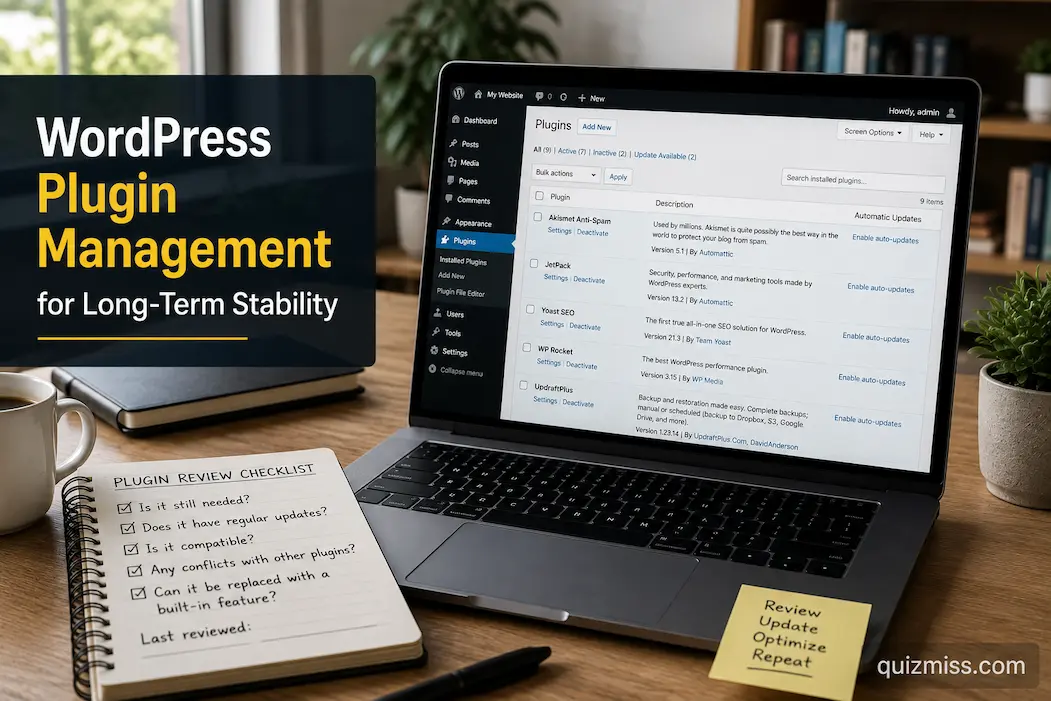
One of WordPress’s greatest strengths is its plugins. Without writing custom code, plugins can transform a simple website into an online store, enhance security, add contact forms, optimize SEO, improve image quality, and much more. Flexibility is one of the reasons WordPress is able to power so many websites.
However, this flexibility can become a weakness if there is no long-term plan for adding plugins. Surprisingly, a website often accumulates dozens of plugins over the course of a few years. Some are used daily, others are forgotten after a short time, and some overlap with existing plugins. Individually, these plugins may seem insignificant, but collectively, they increase the complexity of ongoing website management.
Installing the fewest possible plugins is not the key to effective plugin management. The key lies in making informed choices, understanding the function of each plugin, and regularly adjusting those choices as the website evolves.
Treat Every Plugin Like a Long-Term Commitment
Installing a plugin takes only a few seconds, but maintaining it may become part of your website’s routine for years.
Before adding another extension, pause for a moment and think beyond the immediate feature you need. Ask whether the plugin is likely to remain useful six months from now or whether it solves only a temporary problem.
A thoughtful decision at the beginning often prevents unnecessary maintenance later.
Questions worth considering include:
- Will this plugin become part of my regular workflow?
- Is there a built-in WordPress feature that already solves this need?
- Could another plugin I already use provide similar functionality?
- Will I realistically remember to maintain this plugin over time?
Thinking ahead encourages a more stable website because every installation has a clear purpose instead of becoming another forgotten addition.
Understand Exactly What Each Plugin Does
Many website owners remember why they installed the first few plugins, but after several years the list often becomes much harder to explain.
Seeing unfamiliar names inside the Plugins page usually indicates that documentation has gradually disappeared rather than that the plugins themselves are unnecessary.
A simple inventory makes future maintenance much easier.
| Information to Track | Example |
|---|---|
| Plugin purpose | Contact forms |
| Installed by | Site owner or developer |
| Essential for daily operation | Yes or No |
| Last reviewed | Month and year |
| Replacement available | If applicable |
Maintaining even a brief record helps you understand the website months later without having to investigate every plugin individually.
Build Around Reliable Core Functionality
Stable websites generally rely on a relatively small group of trusted plugins that support essential tasks.
For example, you might use dedicated plugins for backups, security, search engine optimization, caching, or forms while avoiding unnecessary overlap in other areas.
Instead of expanding the plugin list whenever a new feature becomes available, ask whether the feature genuinely improves the website or simply adds another component requiring updates and compatibility checks.
Long-term stability often comes from strengthening a dependable foundation rather than continually expanding it.
Avoid Installing Plugins for One-Time Tasks
Occasionally, a plugin is installed to complete a single job—perhaps importing data, resizing images, or making a temporary design adjustment.
After the task is finished, the plugin remains installed simply because removing it never becomes a priority.
Months later, dozens of these temporary tools may still appear in the plugin list despite no longer serving any purpose.
A useful habit is reviewing newly installed plugins after completing the original task.
If a plugin has fulfilled its purpose and isn’t expected to be used again, consider whether keeping it installed still provides value.
Small cleanup sessions you don’t expect to use are from becoming permanent maintenance responsibilities.
Keep Similar Features From Competing
A common source of WordPress problems is unnecessary overlap.
For example, several plugins may attempt to optimize images, manage redirects, improve security, or control caching at the same time. While each plugin may work well individually, overlapping responsibilities can create unpredictable behavior.
Instead of focusing only on the number of plugins installed, pay attention to whether multiple plugins perform nearly identical jobs.
A simple comparison can help.
| Website Function | Preferred Approach |
|---|---|
| Image optimization | One primary solution |
| Contact forms | One actively maintained plugin |
| Caching | Avoid multiple caching systems unless specifically required |
| Redirect management | Centralize where possible |
| Security monitoring | Keep responsibilities clearly defined |
Reducing overlap often improves predictability while making future troubleshooting much easier.
Schedule Plugin Reviews Instead of Waiting for Problems
Many websites receive plugin attention only when an update fails or something stops working.
A better approach is setting aside time every few months to review the entire plugin collection.
During a review, consider questions such as:
- Does every installed plugin still serve an active purpose?
- Has another solution replaced this functionality?
- Are there plugins that haven’t been used in a long time?
- Are similar features being provided by more than one extension?
These reviews don’t always result in removing plugins. Sometimes they simply confirm that the current setup still makes sense.
Regular evaluation keeps plugin management proactive rather than reactive.
Think About Compatibility Before New Features
Excitement over a new feature can sometimes overshadow the broader health of the website.
Every additional plugin becomes another piece of software that must work alongside WordPress core, your active theme, and every other installed plugin.
Before introducing new functionality, think about how it fits into the website as a whole rather than evaluating it in isolation.
Considering compatibility early often prevents situations where solving one problem unintentionally creates another elsewhere on the site.
Organize Plugin Decisions for Future Maintenance
Imagine returning to your website after a year away from active development.
Would you still remember why you installed every plugin?
Probably not.
Keeping simple maintenance notes—whether in a spreadsheet, document, or website log—helps preserve that context.
Recording information like installation dates, major configuration changes, and reasons for keeping certain plugins creates a valuable reference that reduces guesswork during future maintenance sessions.
Good documentation isn’t just useful for teams. It also helps individual website owners maintain consistency over time.
Update Plugins With a Plan, Not All at Once
When several plugin updates appear in the WordPress dashboard, it’s tempting to click Update All and move on. While that approach may work many times without any issue, it also makes troubleshooting much harder if something unexpected happens.
A more dependable routine is to update plugins in stages, especially on websites that receive regular visitors.
For example, you might:
- Confirm that a recent backup is available before proceeding.
- Review whether any updates include significant changes.
- Update one or a small group of related plugins.
- Browse key pages of the website.
- Continue with the remaining updates if everything functions normally.
This method takes a little longer, but it narrows the source of any problem and helps maintain confidence in the site’s stability.
Recognize the Signs That a Plugin Deserves Attention
Not every plugin problem announces itself with an obvious error message. In many cases, subtle warning signs appear first.
You may notice that a feature behaves differently than before, a settings page becomes unusually slow, or an option that once worked reliably now produces inconsistent results. While these symptoms don’t automatically mean a plugin is at fault, they are worth investigating rather than ignoring.
Pay attention if you observe situations such as:
| Possible Sign | Why It Deserves Review |
|---|---|
| Unexpected changes after an update | May indicate a compatibility issue |
| Features no longer working as expected | Configuration or software may need attention |
| Duplicate functions appearing | Plugins may overlap unnecessarily |
| Frequent notices inside the dashboard | Review whether action is required |
| Plugins no longer matching current website needs | Consider simplifying the setup |
Looking for these patterns during routine maintenance often prevents larger issues from developing later.
Test New Plugins Before Depending on Them
Adding a plugin directly to an important website without evaluating it first can create unnecessary risk.
Whenever practical, spend time understanding how a plugin behaves before making it part of your everyday workflow. Explore its settings carefully, confirm that it performs the task you expect, and check whether it changes areas of the website beyond its intended purpose.
If you manage more than one WordPress site, testing a new plugin on a less critical website before introducing it elsewhere can also provide useful insight.
The objective isn’t to avoid new plugins altogether. It’s to understand them before relying on them.
Keep Your Plugin List Easy to Review
A plugin page filled with dozens of names makes routine maintenance more difficult than it needs to be.
One practical way to simplify future reviews is by mentally grouping plugins according to their purpose.
For example:
- Website security
- Performance optimization
- Search engine optimization
- Content management
- Forms and communication
- Design enhancements
- Administrative tools
Thinking in categories rather than individual plugin names makes it easier to recognize unnecessary duplication and identify areas that may have become more complicated over time.
It also speeds up maintenance because you’re reviewing functions instead of reading through a long list of unrelated extensions.
Know When Fewer Plugins Create a Better Website
Website quality isn’t measured by the number of plugins installed.
Some highly effective WordPress websites operate with a relatively small collection of carefully selected extensions because each one serves a well-defined purpose. Others accumulate dozens of plugins that add only minor conveniences while increasing long-term maintenance.
Rather than asking, “Can I install another plugin?” try asking a different question:
“Will this improve the website enough to justify maintaining it for the foreseeable future?”
That shift in thinking encourages better decisions because every new feature is evaluated alongside its long-term responsibility.
Plugin Management Habits Worth Developing
Good plugin management rarely depends on one major decision. It grows from small habits repeated consistently.
Consider incorporating practices like these into your maintenance routine:
- Review installed plugins every few months instead of only during updates.
- Record why a newly installed plugin was added.
- Remove temporary plugins after completing one-time tasks.
- Check important website pages after plugin updates.
- Keep related functionality organized to reduce overlap.
- Reassess older plugins as your website’s needs evolve.
These habits require very little extra time but help keep your WordPress installation easier to understand and maintain.
Common Plugin Management Pitfalls
Even experienced website owners occasionally fall into habits that complicate maintenance.
| Pitfall | More Sustainable Approach |
|---|---|
| Installing plugins before checking existing features | Review current functionality first |
| Keeping inactive plugins indefinitely | Remove those that are no longer needed |
| Updating everything without checking the website afterward | Verify important pages after updates |
| Forgetting why plugins were installed | Maintain simple documentation |
| Allowing several plugins to perform the same job | Consolidate overlapping functionality where practical |
Avoiding these patterns often contributes more to long-term stability than constantly searching for new optimization techniques.
FAQs
Is having a large number of plugins always a bad idea?
Not necessarily. It is not about the number of plugins, but rather their maintenance, functional overlap, and whether each plugin still serves a clear purpose.
How often should plugins be reviewed?
For most websites, it is a good idea to review the codebase every few months. Larger websites or those updated more frequently may require more frequent checks.
Should unused applications be kept?
Removing programs that are no longer needed can often reduce the amount of software requiring future review or maintenance, thereby simplifying the maintenance process.
Conclusion
The key to effective WordPress plugin management lies not in acquiring the latest features or minimizing the list of plugins. Instead, it is about creating a website where every extension serves a clear purpose, integrates well with the rest of the system, and proves its value over time.
If plugins are selected carefully, updates are performed systematically, and regular reviews become part of routine website maintenance, WordPress remains manageable. This approach prevents your website from becoming overly complex over time, ensuring it builds upon a solid foundation. This paves the way for future growth and minimizes the risk of avoidable maintenance issues.