
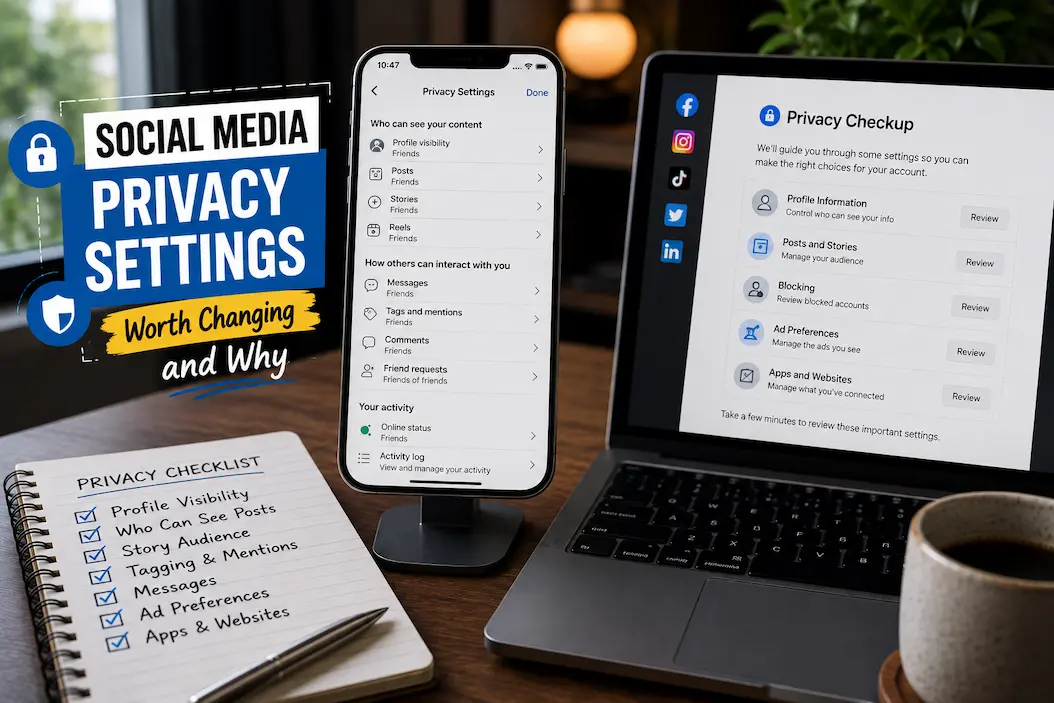
Most social media accounts are not actually difficult to make more private. The problem is that privacy controls are scattered across several menus, and some of the settings that sound important have surprisingly little effect on everyday exposure. Meanwhile, a few less noticeable options can determine who finds your account, who can contact you, what information advertisers can use, and whether people outside your audience can see details you never intended to share widely.
You also don’t need to make every account completely private to improve your privacy. A better approach is to consider what information you are comfortable exposing, who can interact with you, and which platform features you actually use. Changing a handful of high-impact settings can reduce unnecessary exposure without making the account frustrating to use. Since social networks frequently rename or move these controls, the exact menu names may differ between apps and versions.
Start With Who Can See Your Posts
The audience setting is probably the most important privacy control on a social account because it determines who can see what you publish in the first place. Depending on the platform, you may be able to choose between public posts, followers, friends, selected people, or another restricted audience. If your account is primarily personal, most ordinary posts do not need to be visible to the entire internet.
Changing the default audience does not mean you can never publish something publicly. You can still make an individual post available to a wider audience when there is a reason to do so. The advantage is that a private or limited default prevents an accidental public post from becoming the normal outcome. This is particularly useful for people who post frequently from their phones, where it is easy to move quickly through the publishing screen without checking every option.
Old posts deserve attention too. Some platforms provide tools for reviewing or limiting the audience of previous content. If you’ve used the same account for years, an old collection of public posts may reveal much more about you than anything you’ve posted recently.
Don’t Let Anyone Find You Through Every Possible Route
People often think of privacy as “who can see my posts,” but discoverability is a separate issue. A person may never see your private posts and still be able to locate your account through your email address, phone number, contacts, username, or other information connected to the profile.
Look for settings that control whether your account can be suggested to people who have your contact information. If the platform allows people to search for you using your email address or phone number, consider whether that is actually useful for your situation.
There is no universal answer here. A creator, business owner, or public-facing professional may deliberately want to be easy to find. Someone using social media mainly to communicate with friends may prefer the opposite. The useful question is not “Should everyone disable discoverability?” but “Do I need strangers to find this account through information I have already given the platform?”
Review Contact Uploading Before Leaving It Enabled
Contact synchronization can make social apps convenient because they can suggest people you already know. The privacy trade-off is that your address book can become part of the platform’s matching and recommendation systems.
If you don’t need contact syncing, there is a reasonable case for turning it off. If you do use it, check what the platform says about uploaded contacts and whether previously synchronized contacts can be removed.
This setting is especially worth reviewing after changing phones or installing a social app for the first time. An application may ask for contact access during setup, and people often approve the request simply to get through the onboarding process.
You can also review the operating system’s permission controls. Removing an app’s access to contacts can be useful, but it does not necessarily undo information that was already uploaded. Where the service provides a separate option for managing or deleting synchronized contacts, that is the more relevant place to look.
Decide Who Is Allowed to Message You
A public account does not need to accept messages from absolutely everyone.
Many social platforms provide separate controls for direct messages, message requests, group invitations, or similar forms of contact. These can often be configured independently for people you follow, followers, friends, or complete strangers.
Tightening these settings can dramatically reduce unwanted contact without requiring you to make your entire profile private. Someone might still be able to see your public content while being unable to place a message directly into your normal inbox.
If you regularly receive spam, scams, promotional messages, or unwanted requests, this is one of the first areas worth reviewing. It is often more effective than simply blocking accounts one by one after they appear.
Mentions and Tags Deserve More Attention
Mentions and tags can put your name or profile into content that you did not publish yourself.
Check whether other people can tag you automatically and whether tagged posts appear on your profile without review. If the platform offers a setting that lets you approve tags before they are displayed on your profile, it can provide a useful middle ground.
This does not necessarily prevent another person from mentioning you in their own post. It can, however, give you more control over whether that activity becomes part of your visible profile.
Tags are particularly worth reviewing because they can involve photographs, locations, events, workplace activities, or other information you would not necessarily choose to publish yourself.
Turn Off Location Access Unless You Actually Need It
Location permissions deserve a separate review because they can reveal information that has nothing to do with the content you are currently viewing.
A social app may request location access for recommendations, nearby content, tagging, or other features. If you rarely use those functions, there may be little benefit in allowing continuous location access.
On both Android and iOS, location permissions can generally be reviewed through the operating system rather than relying only on an application’s own privacy menu. Depending on the device and application, you may have options such as denying access, allowing access only while using the app, or limiting precise location.
Don’t assume that disabling location permission makes every location-related feature disappear. A platform can sometimes infer approximate location from network information or other signals. The goal is to reduce unnecessary direct access rather than assume one switch makes your location invisible.
Be Selective With Camera, Microphone, and Photo Access
Social applications often need camera and microphone access for obvious features such as recording videos, making calls, or creating stories. That does not mean every application needs unrestricted access at every moment.
Review permissions through your phone’s privacy settings and ask whether each permission matches something you actually use. If you rarely create content, you may prefer to grant access only when necessary, depending on what your operating system offers.
Photo access is worth checking separately because modern phones may allow you to provide an app with access to selected photos rather than your entire library. That can be a useful compromise for people who want to upload pictures without giving an application broad access to their personal collection.
These controls are not just about social media. They are part of the operating system’s broader permission system, so reviewing them periodically can uncover access you granted months or years ago and simply forgot about.
Review What Your Profile Reveals Before Changing Privacy Controls
Privacy settings cannot compensate for information you deliberately leave in your profile.
Your full name, workplace, school, city, birthday, relationship information, personal website, email address, and other profile details may be visible to people who can access your account. Some of these fields can also make it easier to identify you across different services.
You don’t have to remove everything. Instead, distinguish between information that serves a purpose and information that is there simply because the platform provided a field for it.
For a professional profile, a workplace and website may be useful. For a personal account, publishing an exact birthday or personal contact details may offer little benefit. Reducing unnecessary profile information can make your privacy settings more meaningful because there is simply less information available to expose.
Birthday Visibility Is Often More Useful to Restrict
Birthdays seem harmless because people post birthday wishes constantly. But a full date of birth can contribute to identifying someone when combined with other publicly available information.
If a platform allows you to control who can see your birthday, consider limiting the audience or removing the year if you do not need it displayed. This does not make you anonymous, but it reduces one piece of information that can be combined with your name, location, workplace, and other details.
There is also little reason to publish a birthday publicly simply because the platform makes it easy to do so. If the purpose is to let friends know when to send wishes, a smaller audience is usually sufficient.
Check Activity Status and Online Indicators
Activity indicators can reveal when you are using an application.
Features such as “active now,” “last active,” or similar status indicators may seem insignificant, but they can tell other users when you are online and potentially create expectations about why you have not responded.
If you don’t need this feature, disabling it can provide a small but useful privacy improvement. Some platforms limit what you can see about other people’s activity when you turn your own status off, so check the trade-off before changing it.
This is a good example of a setting that has nothing to do with protecting your posts yet can make your account less revealing in everyday use.
Limit Who Can Add You to Groups or Communities
Group invitations can become a source of spam and unwanted contact.
If a social platform allows strangers or broad categories of users to add you to groups, communities, chats, or similar spaces, check whether you can restrict those invitations. The available controls vary considerably between platforms.
This setting can be particularly useful on accounts that receive frequent unsolicited invitations. It reduces the need to leave unwanted groups repeatedly and prevents strangers from using group membership as a way to start interacting with you.
When reviewing these options, don’t just look at direct messages. Think about all the ways another account can initiate contact.
Review Third-Party App Connections
Social accounts sometimes become connected to games, quizzes, productivity tools, websites, analytics services, or other applications.
Some of these connections may have been authorized years ago and never used again. That makes connected-app management worth reviewing periodically.
Look for the platform’s section covering apps, websites, connected services, or third-party access. Remove connections you no longer recognize or use, after confirming that doing so will not break something you still need.
This is one of the highest-value cleanup exercises because old connections can survive long after you have forgotten why they were authorized. It also helps you maintain a smaller digital footprint without changing how your ordinary social feed works.
Don’t Ignore Advertising and Personalization Settings
Social platforms use information about activity, interactions, interests, and other signals to personalize content and advertising. The exact controls differ between services, and disabling personalization does not necessarily mean you will stop seeing advertisements.
Still, it is worth reviewing the platform’s advertising or personalization settings to understand what choices are available.
Look for controls concerning ad personalization, activity used for recommendations, information from other websites or apps, and inferred interests. Where an option lets you reduce the use of certain information for personalization, decide whether the trade-off is worthwhile.
This area is sometimes misunderstood. Privacy settings generally reduce or control particular uses of information; they do not turn a social media account into an anonymous browsing environment.
Recommendation Settings Can Affect Your Visibility Too
Privacy isn’t only about information other people can deliberately search for. Recommendation systems can put your profile in front of people you did not expect to encounter it.
Some services suggest accounts based on contacts, mutual connections, location signals, activity, or other relationships. Look for controls affecting account recommendations or suggestions if you don’t want your profile promoted broadly.
Again, public-facing creators may want these features enabled. Someone using a private account for family communication may value being less discoverable.
The right setting depends on the purpose of the account. There is no reason to copy another person’s privacy configuration simply because they call it “secure.”
Be Careful With Public Stories and Temporary Posts
Temporary content can create a false sense of privacy.
People sometimes assume that a story disappears and therefore does not matter. In practice, someone can capture or record it before it disappears, and some platforms retain content for various purposes even when it is no longer visible in the normal interface.
Check who can see your stories, live broadcasts, and similar temporary content separately from ordinary posts. If a platform provides close-friends or selected-audience features, use them when the content is intended for a smaller group.
Temporary does not mean private. It only describes how long the platform normally displays the content.
Review Old Posts Instead of Starting Over
You don’t necessarily need to delete years of social media history to improve privacy.
Start by reviewing older public posts, photos, profile information, and tagged content. Look for material that reveals old addresses, workplaces, travel routines, personal relationships, or other information that no longer needs to be public.
Some platforms offer bulk privacy or audience-management tools. If available, these can be useful when you want to reduce the audience for older content without reviewing every individual post.
Be careful with mass deletion tools from unknown third parties. Giving an outside service access to your social account simply to clean up old posts can create a new privacy problem.
Protect the Account Itself Before Obsessing Over Privacy Menus
A perfectly configured privacy profile is not much help if someone else can sign into the account.
Use a strong, unique password and enable multi-factor authentication when the platform supports it. Prefer an authentication method that provides meaningful protection without creating an account-recovery problem you cannot solve later.
Also review logged-in sessions or active devices. If the platform provides a list of devices currently signed into your account, look for anything unfamiliar.
This is different from ordinary content privacy. Someone with legitimate access to your account may be able to change privacy settings, read private messages, or download information. Account security therefore belongs near the top of any privacy review.
Privacy Settings Worth Prioritizing
If you don’t want to spend an hour exploring every menu, concentrate on settings that have the greatest practical effect.
| Setting | Why It Is Worth Reviewing |
|---|---|
| Post audience | Controls who can see what you publish |
| Profile visibility | Reduces unnecessary exposure of personal details |
| Discoverability | Limits how easily strangers can find your account |
| Contact syncing | Reduces unnecessary sharing of address-book information |
| Direct messages | Helps control unwanted contact |
| Tags and mentions | Prevents unwanted activity from automatically becoming part of your profile |
| Location access | Limits direct access to location information |
| Camera and microphone | Prevents unnecessary device access |
| Connected apps | Removes old third-party access |
| Activity status | Reduces information about when you are online |
| Group invitations | Helps reduce unwanted additions and spam |
| Advertising controls | Gives you more choice over personalization |
| Login sessions | Helps identify unauthorized account access |
| Multi-factor authentication | Protects the account if the password is compromised |
You don’t need to change every setting in the table. The useful ones depend on how you use the platform and how public you want the account to be.
A Public Account Can Still Be More Private
“Public” and “private” are not always the only two choices.
A creator might need a public profile but still restrict direct messages, contact syncing, location access, tagged posts, and third-party applications. A small business may want its contact information visible while keeping personal activity and account-recovery details protected.
This is why privacy should be approached as a collection of individual decisions rather than one giant switch.
Think about the information separately: Who should see my posts? Who should find me? Who should contact me? What can the app access on my phone? Which companies or services can access my account? What information should be used for personalization?
Once those questions are separated, the settings become much easier to evaluate.
Recheck Privacy After Major Account Changes
Privacy settings can become outdated when your circumstances change.
If you switch from a personal account to a professional one, start creating public content, change your phone number, connect a new service, or begin using a new social platform feature, revisit the relevant settings.
A new feature may introduce a new permission or audience control. A platform redesign can also move an old setting into another section, making it easy to overlook.
You don’t need to perform a complete privacy audit every week. A review after major account changes and occasionally during general digital housekeeping is much more realistic.
Don’t Assume One Setting Applies Everywhere
One of the easiest mistakes is assuming that changing a privacy setting on one part of a social platform changes everything else.
Your posts, stories, profile, messages, tags, live broadcasts, followers, and account discoverability may each have separate controls. A private story does not necessarily make your profile private. Restricting messages does not necessarily hide your public posts.
Always check the scope of a setting before assuming you have changed more than you actually did.
This is also why platform-specific tutorials can become outdated quickly. The menu names may change even when the underlying privacy control remains available.
The Most Useful Privacy Changes Are Usually the Boring Ones
There is no single “maximum privacy” setting that solves every concern. The strongest improvements usually come from ordinary controls that reduce exposure in specific ways: limiting unnecessary audiences, restricting unwanted contact, reviewing discoverability, removing old app connections, and giving applications only the permissions they need.
You should also avoid turning privacy into an inconvenience that causes you to disable useful security features. Multi-factor authentication, account-recovery methods, security alerts, and login notifications can be more important than hiding a minor profile detail.
The goal is not to make your account impossible for anyone to find or interact with. It is to make sure the people and services receiving your information are there because you chose that arrangement, rather than because an old default was never reconsidered.
Privacy Works Better When You Choose the Exposure
Social media privacy is less about finding one perfect configuration and more about removing exposure that serves no useful purpose. You may want public posts but private messages. You may want people to find your professional profile while preventing an app from continuously accessing your contacts or location. Another person may reasonably choose almost the opposite arrangement.
That flexibility is the point. The most useful settings are the ones that match how you actually use the account rather than a generic checklist copied from someone else’s privacy routine.
Start with the audience for your content, then look at discoverability and contact methods. After that, review device permissions, tags, connected apps, activity status, advertising controls, and account-security options. A few deliberate changes can significantly reduce unnecessary exposure without forcing you to stop using the features that make social media useful.